How to Share Your Contact Info at a Networking Event
You just had a great conversation with someone at a conference. Now comes the awkward part — exchanging contact info. You fumble for a business card. They don't have one. Someone pulls out their phone to type in an email and misspells it. By tomorrow, neither of you remembers the other's name.
There are better ways to handle this. Here are the most common options, what actually works, and what's not worth the hassle.

Paper business cards
Still the default at most events. You hand over a card, they put it in their pocket, and maybe they find it again next week. Maybe.
Paper cards work in the moment, but they create a problem: the other person still has to manually type your info into their phone later. Most people don't. A study from Adobe found that nearly 90% of business cards get thrown away within a week.
If you use paper cards, at least add a QR code to the back. That way, the person can scan it right there and save your contact — no typing required.
AirDrop and NameDrop
Apple's NameDrop lets two iPhones share contact cards by holding them near each other. It's fast and feels seamless — when it works.
The catch: both people need iPhones with iOS 17 or later. If one person has an Android, it doesn't work. If the feature is turned off (some companies disable it), it doesn't work. If you're at a crowded event with lots of phones nearby, it can get confusing.
NameDrop is great for iPhone-to-iPhone moments, but you can't count on it as your only method.
LinkedIn connection request
The go-to move for a lot of professionals: "I'll find you on LinkedIn." Sometimes this works. Other times you both forget, or you search for their name and find 15 people with the same one.
LinkedIn is fine for staying loosely connected, but it doesn't put your phone number, email, or website into their contacts. It's a social connection, not a contact save. If you want them to actually call or email you later, LinkedIn alone isn't enough.
NFC business cards
NFC cards have a chip inside. You tap the card to someone's phone and it opens a link to your contact info. It's fast — under a second — and it feels impressive.
The downsides: NFC cards cost $20 to $150 each. About 13% of smartphones don't support NFC. And if you forget your card at home, you have nothing. It's a good tool for people who network in person constantly and want the premium feel, but it's an expensive single point of failure.
QR code on your phone
This is the practical option. You pull up a QR code on your phone — either as your lock screen wallpaper or from your QR code app — and the other person scans it with their camera. Takes about three seconds.
When they scan it, your contact info opens on their phone. They tap "Save Contact" and you're in their phone. Done. No app required on their end, works on every iPhone and Android, and you never forget it because it's on your phone.
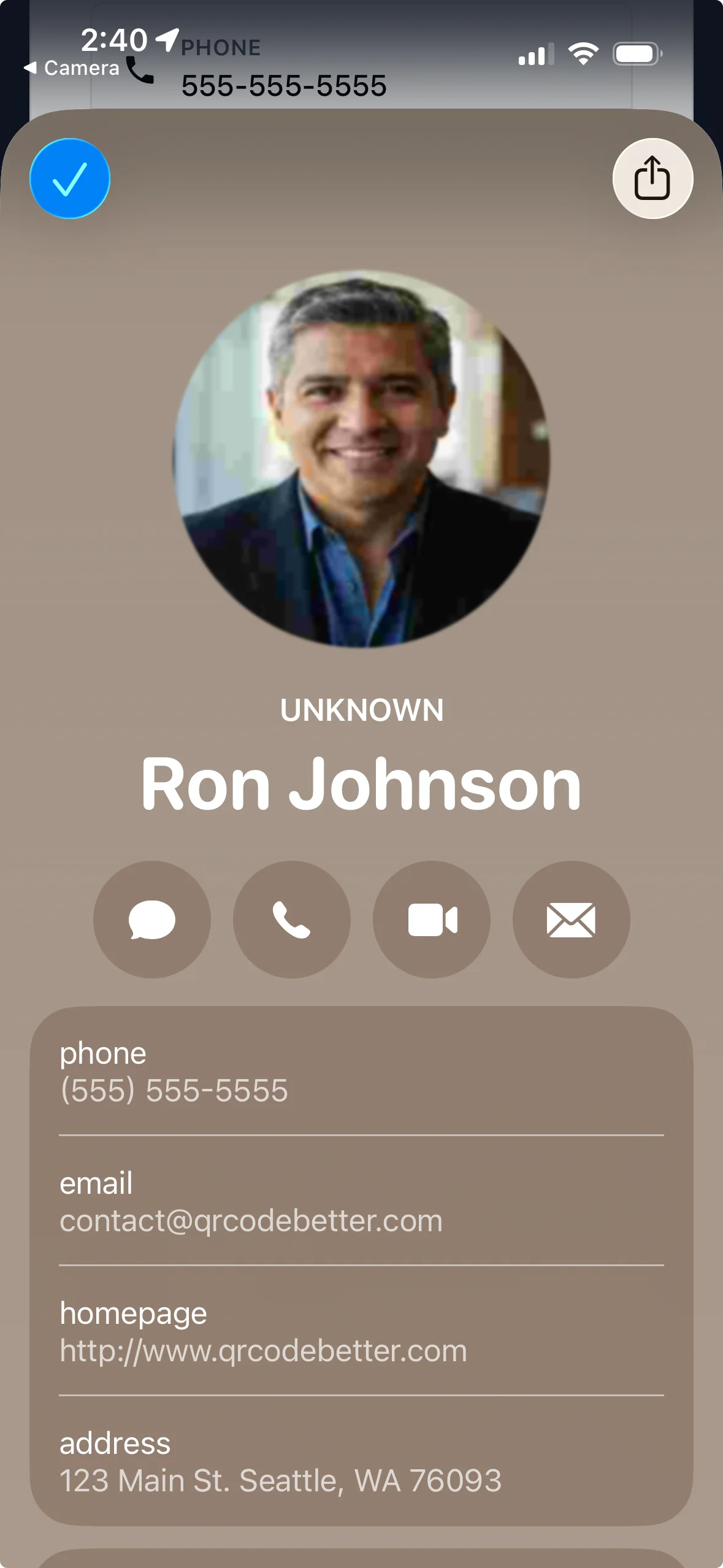
This is what the other person sees after scanning — your photo, phone number, email, website, and address all ready to save with one tap.
The best combo
No single method works in every situation. The most reliable approach is to carry two things:
- A QR code on your phone — your universal fallback that works for everyone
- Paper cards with a QR code printed on them — for people who expect a physical card
Both point to the same contact info. If your details change, update once and both the phone QR and the printed QR still work (if you're using dynamic QR codes).
Tips for events
Set your QR code as your phone wallpaper. When someone asks for your info, just show your lock screen. No unlocking, no searching for an app.
Add your QR to your badge. If the event gives you a name badge, stick a small printed QR code on it. People can scan it without interrupting the conversation.
Don't wait until the end. Exchange info early in the conversation, not as you're walking away. That way you can text them something relevant while you're still talking — and they'll know exactly who you are when they see it later.
Use a dynamic QR code. If you use a static QR, the contact info is baked in and can't be changed. A dynamic QR code lets you update your info without reprinting anything.
Set it up before your next event
Create a free QR code business card on QR Code Better. It takes under five minutes, works on every phone, and you'll never hand out another card that ends up in the trash.