Do QR Codes Expire? (Why Some Stop Working After You Print Them)

QR codes don't technically expire — but many stop working after you print them. That's where people get burned.
If you used a free QR code generator or a dynamic code tied to a service, your code can break without warning. Here's exactly why QR codes fail and how to make sure yours never does.
If you're creating QR codes for business cards or printed materials, use a QR code business card or a reliable generator that won't shut your codes off later.
Why Your QR Code Stopped Working
If your QR code worked before and suddenly doesn't, the problem is almost never the code itself.
QR codes don't expire — but the link or service behind them can fail. This is especially common with free QR code generators and dynamic codes that rely on redirect services.
If you need flexibility and tracking, use a dynamic QR code generator that guarantees your codes stay active.
Static QR Codes Don't Expire
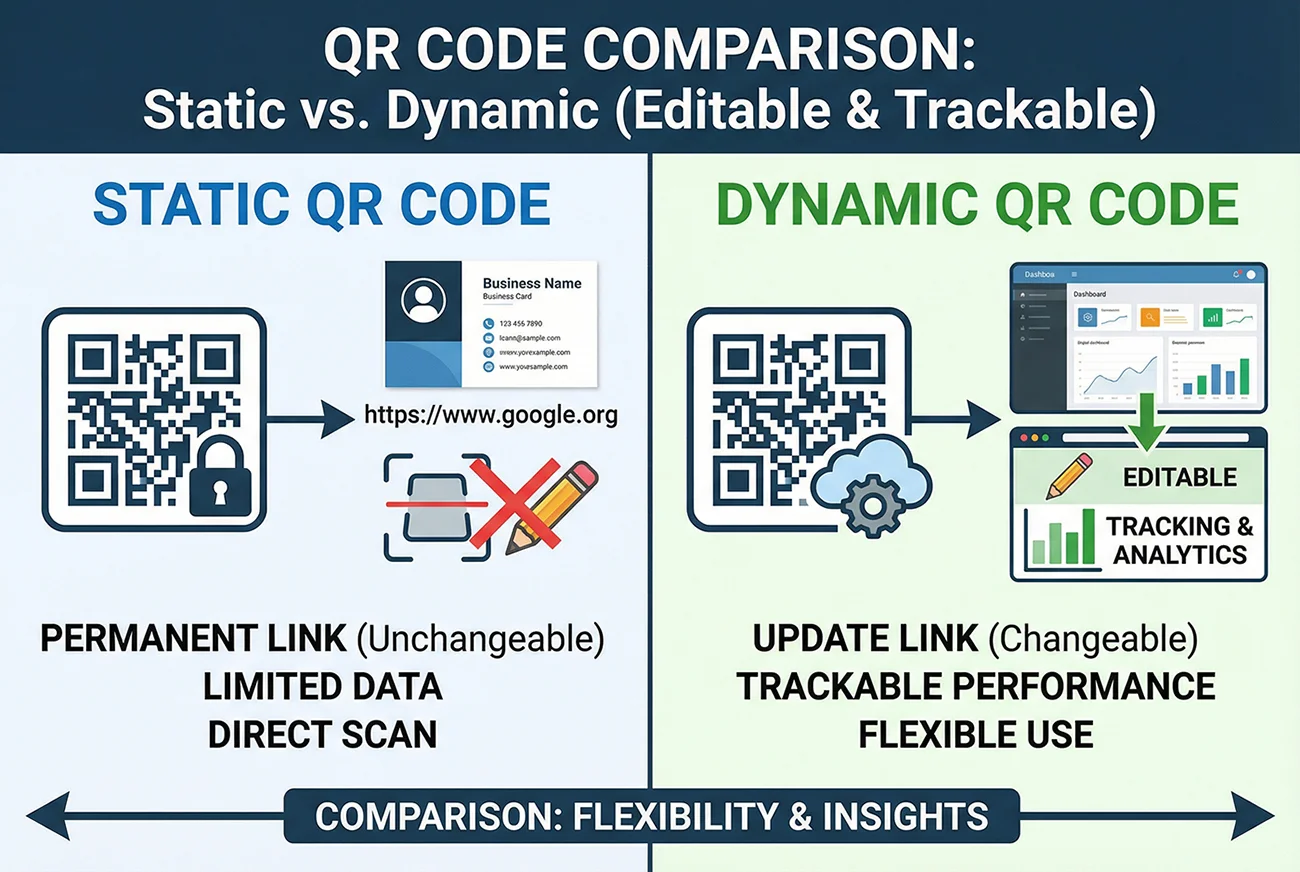
A static QR code encodes information directly into the pattern itself. Once created, the data is permanently embedded. These codes will work forever — as long as the destination still exists.
Static QR codes stop working when:
- The website URL they link to is deleted or changed
- The domain expires
- The page is moved to a new address
The QR code itself doesn't expire. The destination does.
Dynamic QR Codes: It Depends on Your Provider
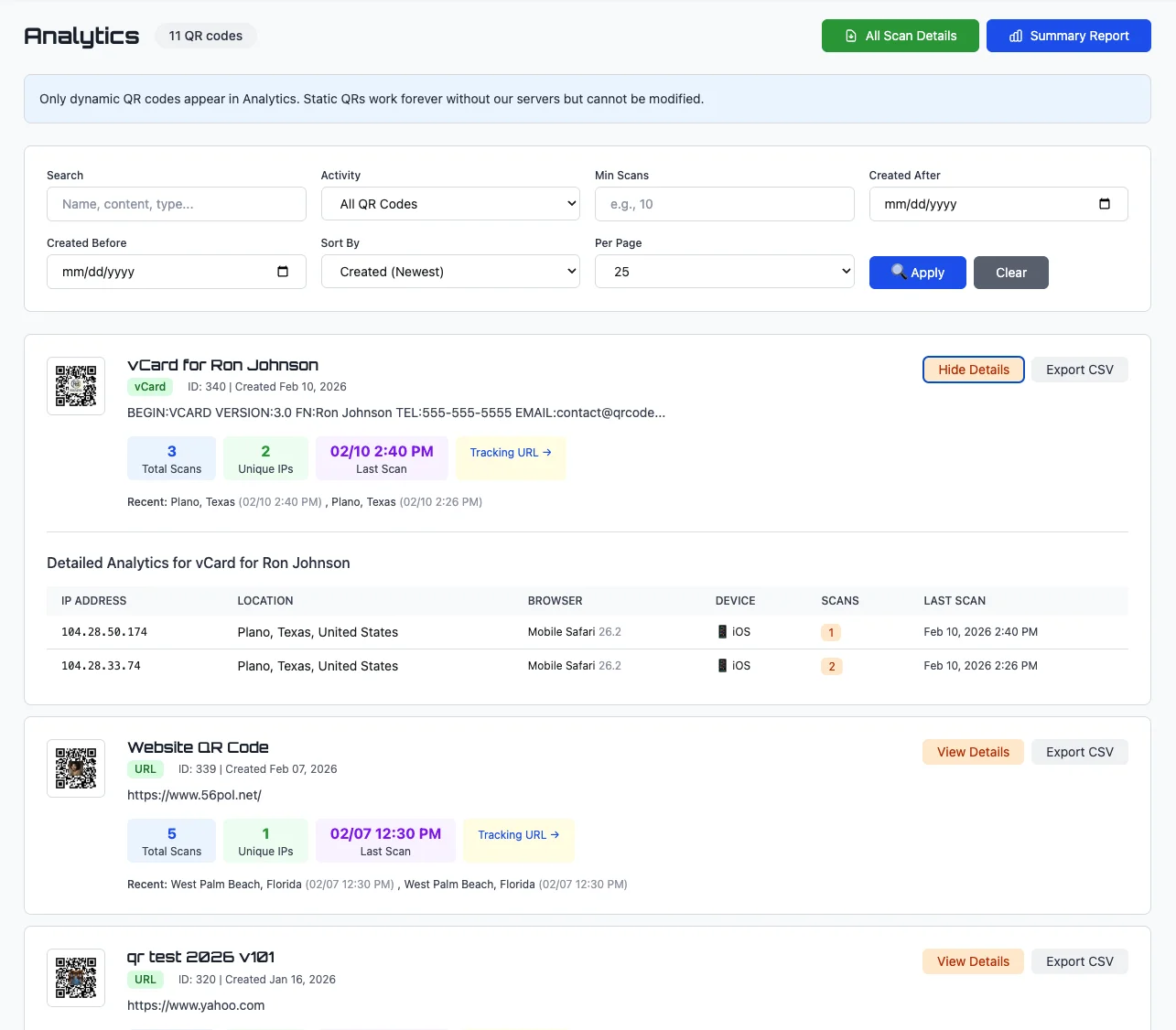
Dynamic QR codes use a redirect URL that points to your final destination. This means you can change where the code goes without reprinting it. However, this also means the code depends on the redirect service staying online.
Dynamic QR codes can stop working if:
- Your QR code provider shuts down
- You cancel your subscription
- The provider deletes inactive codes
- You exceed scan limits
At QR Code Better, dynamic codes remain active as long as your account is active. No scan limits. No surprise deactivations.
The Biggest QR Code Mistake (That Costs Money)

The biggest mistake is using a free QR code generator for something you plan to print.
Menus, packaging, business cards, and signage are expensive to reprint. If your QR code stops working, you're not just fixing a link — you're redoing everything.
That's why reliability matters more than "free."
Free QR Code Generators: The Hidden Risk
Many free QR code generators create dynamic codes that route through their servers. The catch? They may:
- Delete codes after inactivity
- Shut down the service entirely
- Add ads or redirects
- Limit scans before requiring payment
How to Create QR Codes That Last
Option 1: Static Codes for Permanent URLs
If your destination URL will never change, a static code is the safest choice.
Option 2: Dynamic Codes with a Reliable Provider
If you need tracking or flexibility, choose a provider that guarantees long-term reliability.
Signs Your QR Code Has "Expired"
- 404 error: Page deleted
- Domain expired: Website gone
- Service shut down: QR provider gone
- Account closed: Subscription ended
- Scan limits reached: Free plan restriction
Most QR code failures aren't technical — they're caused by using the wrong type of QR code for something that gets printed.
The Bottom Line
QR codes don't expire. But the systems behind them can fail.
To avoid problems:
- Use static codes for permanent links
- Use reliable dynamic providers
- Avoid free tools for printed materials
- Keep accounts active while codes are in use
Create QR codes that won't expire — no scan limits, no deactivations, no surprises.