Static vs Dynamic QR Codes: Why Static Breaks After Printing
Most QR code guides explain the difference between static and dynamic. What they skip: if you use a static QR code and anything changes, you're stuck. There is no fix. You have to reprint everything.
Dynamic QR codes exist to solve that.
14-day free trial • No credit card required • Dynamic codes included
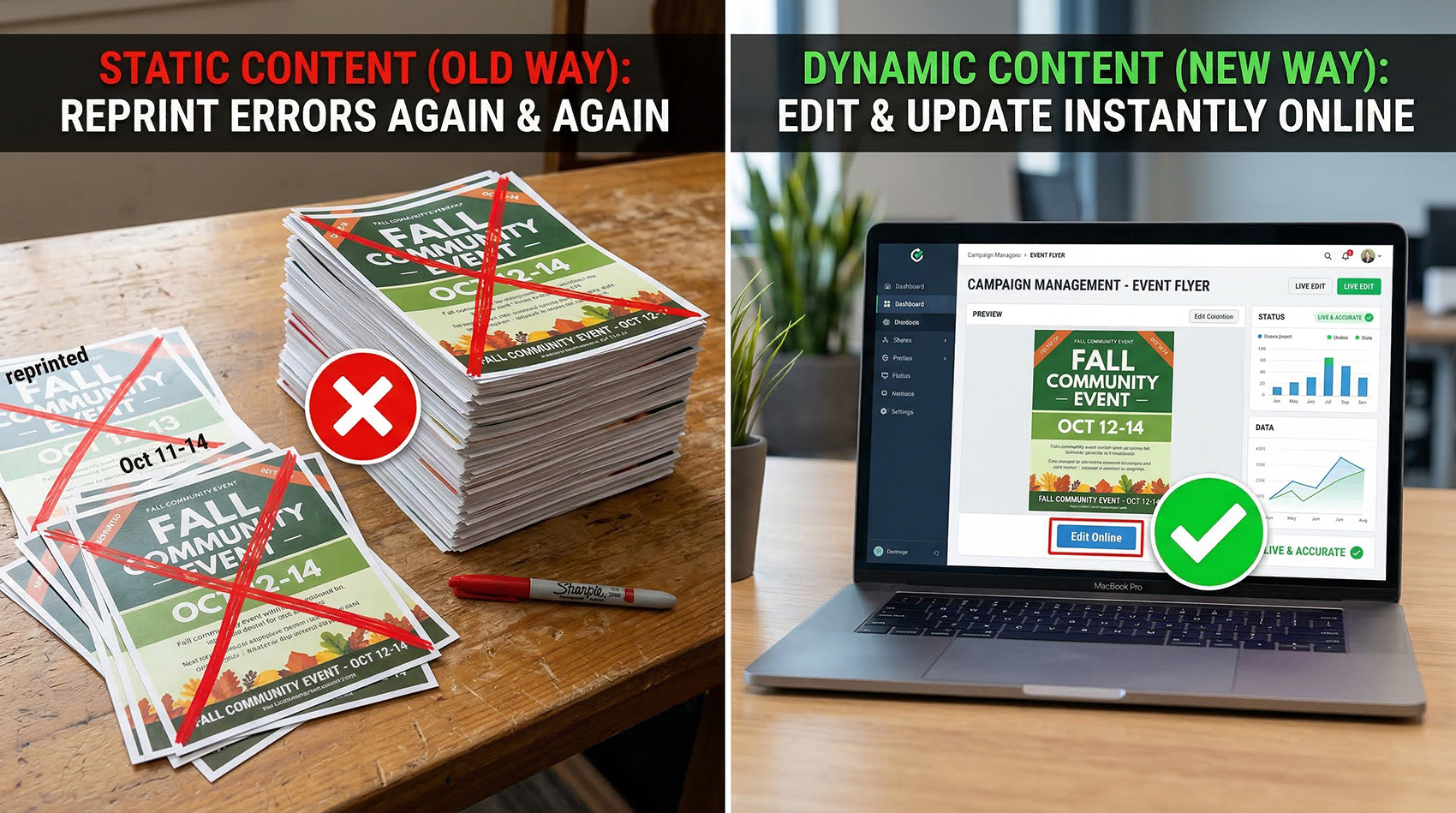
The Real Problem with Static QR Codes
A static QR code is permanent. Once it's created, the destination cannot be changed. That sounds fine — until real life happens.
Restaurant updates its menu
The QR code on every table now points to a dead page. The only fix is reprinting every table card.
Realtor changes a listing
Flyers with the QR code are already out. The listing URL changed. Those flyers are now useless.
Event link changes
Printed programs with a QR code. Schedule link gets updated. Every person who scans hits a broken page.
There is no fix for a static QR code. The only option is to reprint everything.
What a Dynamic QR Code Does Differently
A dynamic QR code does not store the final destination directly. Instead, it uses a short redirect URL that you control — from your dashboard, anytime, without touching the printed code.
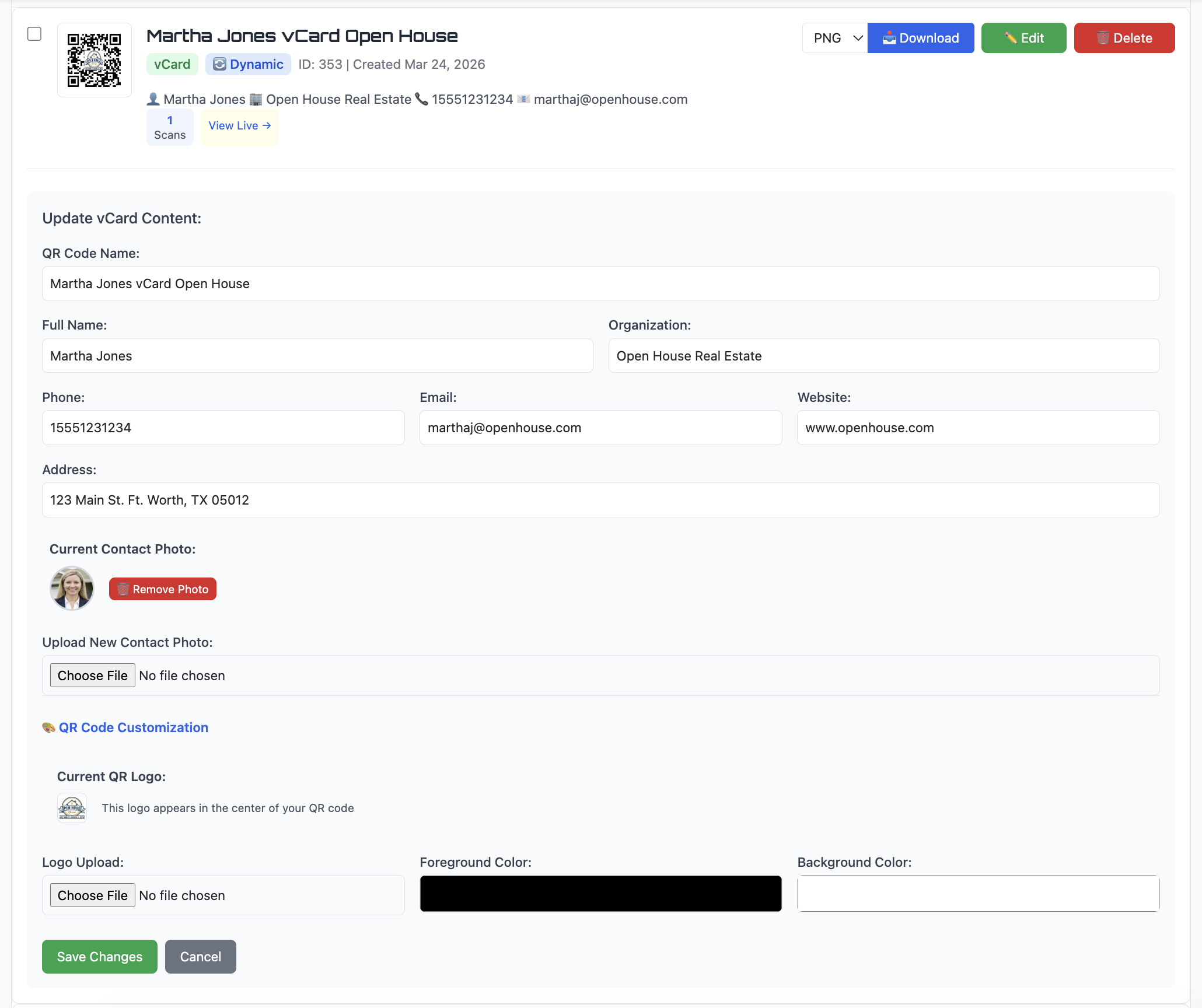
Change the destination. Keep the printed code.
Wrong link? Fix it in 10 seconds from your dashboard.
New campaign? Swap the destination without a reprint.
Contact info changed? Update the vCard — same QR code on your business card.
Menu updated? New URL live in seconds.
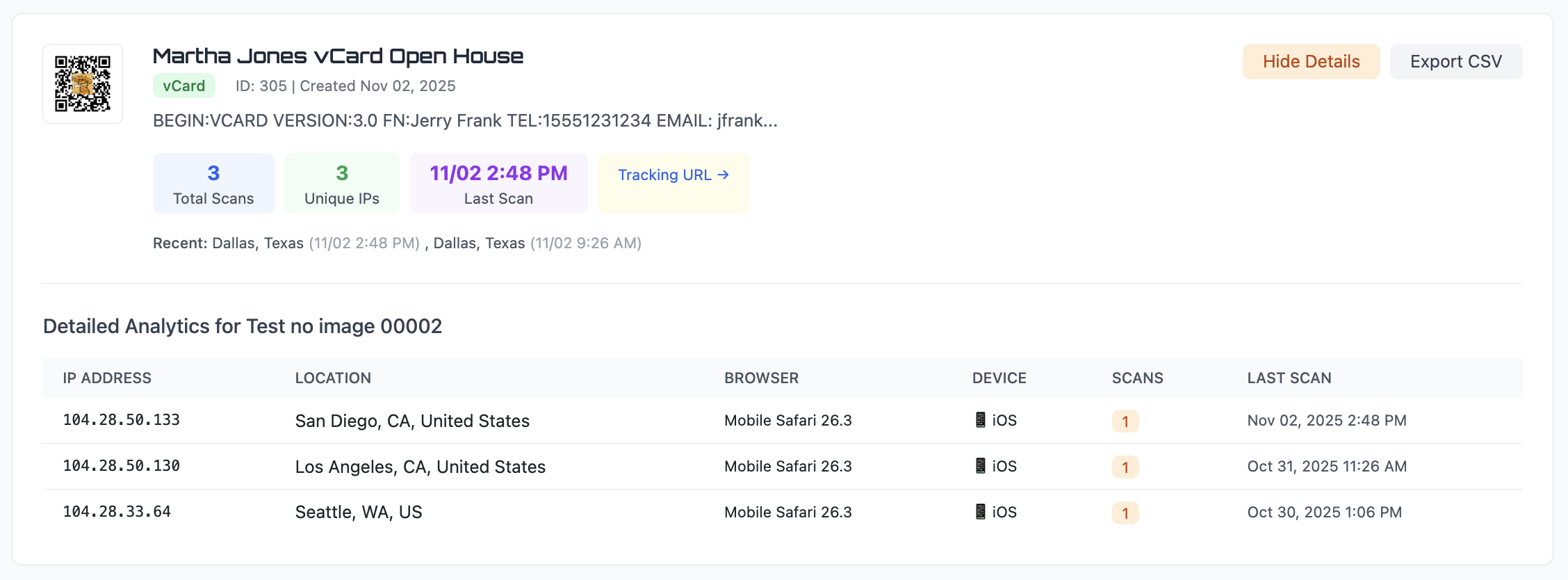
Track every scan. Static gives you nothing.
See the full analytics breakdown →
Total scans and unique visitors
Location — city, state, country
Device and browser type
Exact scan date and time
Export to CSV for reporting
Static vs Dynamic — Quick Comparison
| Feature | Static QR Code | Dynamic QR Code |
|---|---|---|
| Edit destination after printing | ✗ Never — link is permanent | ✓ Anytime from your dashboard |
| Scan tracking & analytics | ✗ Zero data | ✓ Total scans, location, device, time |
| Fix mistakes after printing | ✗ Must reprint everything | ✓ Fix in 10 seconds online |
| Works offline | ✓ Data is in the code itself | ✗ Needs internet for redirect |
| Best for | WiFi, plain text, permanent links | Marketing, business cards, menus, events |
| Cost of a mistake | Full reprint — $$$ | 10 seconds in your dashboard — $0 |
⚡ When Businesses Use Dynamic
If you're printing QR codes on anything physical, you're committing to that link. Dynamic gives you the flexibility to change your mind.
Marketing materials — flyers, posters, brochures, mailers
Business cards — update contact info without reprinting
Restaurant menus — swap the link when items change
Event materials — update schedules and links as details shift
Any time you need scan tracking data
📄 When Static Is Actually Fine
Static QR codes still have their place. If nothing will ever change, static works.
WiFi sharing — credentials must be encoded directly for auto-connect
Personal use — one-time links that will truly never change
Plain text or serial numbers — no URL involved
Offline environments with no internet access during scan
You don't need any tracking or analytics
Create a QR Code You Can Edit and Track
Stop printing QR codes you can't fix later. Edit the destination anytime. Track every scan. Never reprint because of a broken link.
No credit card required • Both static and dynamic included • Cancel anytime
Common Questions
Can I change a dynamic QR code after printing?
Yes. That's the main advantage. You can update the destination URL anytime from your dashboard — the printed code stays exactly the same.
Do dynamic QR codes track scans?
Yes. Every scan is logged with the date, time, location (city, state, country), device type, and browser. You can also export all scan data to CSV.
Do I need an account to use dynamic QR codes?
Yes — because the redirect and tracking are stored server-side, an account is required. You can start free with a 14-day trial, no credit card needed.
What happens to my QR codes if I cancel?
Your dynamic QR codes continue working for 30 days after cancellation, giving you time to transition or reprint with static codes if needed.
What's the difference between static and dynamic QR codes?
A static QR code encodes data directly into the pattern — it can never be changed after printing. A dynamic QR code uses a redirect URL you control, so the destination can be updated anytime without reprinting.
Can I convert a static QR code to dynamic?
No — the encoding is fundamentally different. If you've already printed static codes, create new dynamic codes for your next print run. The old static codes will continue working as long as the destination URL stays live.
Does QR Code Better support both types?
Yes. You can create both static and dynamic QR codes from the same dashboard. Choose the mode when creating each code.