Static vs Dynamic QR Codes: What's the Difference and Which Do You Need?
Every QR code generator gives you two options: static or dynamic. Most people pick one without understanding the difference, and the ones who pick wrong don't find out until it's too late — usually when they need to change a link that's already printed on 500 flyers.
This isn't a minor technical detail. The choice between static and dynamic affects whether you can fix mistakes after printing, whether you get any data about who's scanning your codes, and whether your printed materials stay useful for months or become expensive waste the moment something changes.
This guide explains exactly how each type works, when to use which, and how to avoid the most common regret in QR code creation.
How static QR codes work
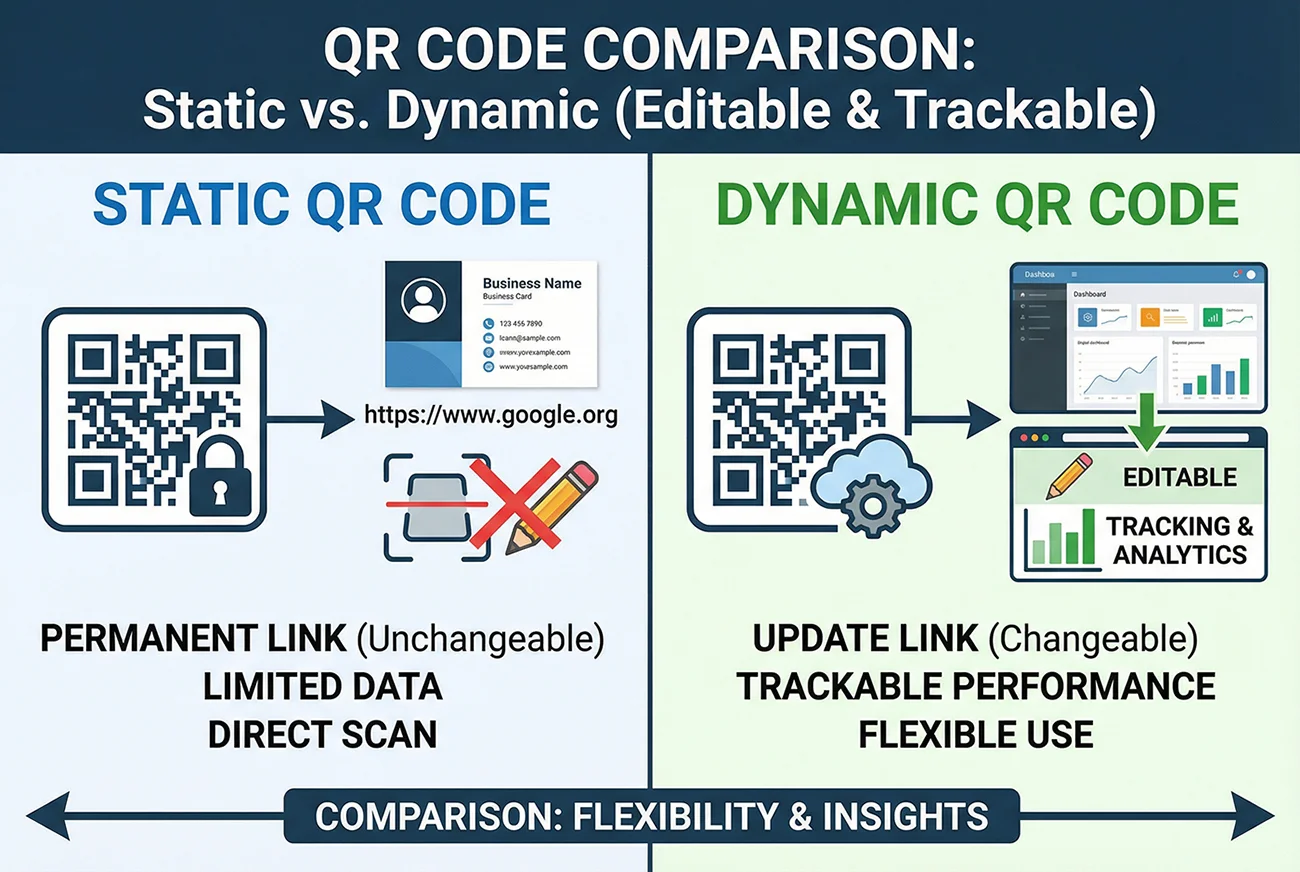
A static QR code encodes your destination — a URL, a block of text, WiFi credentials, or contact information — directly into the pattern of black and white squares. The data is literally baked into the image itself.
When someone scans a static QR code, their phone reads the data straight from the pattern. There's no server involved, no redirect, no middleman. The phone decodes the squares and acts on whatever data it finds — opening a URL, connecting to a WiFi network, or displaying contact info.
This means a static QR code works completely offline. It doesn't depend on any service staying online. It doesn't expire. It will work in 10 years the same way it works today, as long as the destination it points to still exists.
But it also means the data is permanent. Once the code is generated and printed, you cannot change what it contains. If you encoded the wrong URL, you reprint. If the page moves, you reprint. If the promotion ends and you want to point to something new, you reprint.
There's one more practical limitation: the more data you encode, the denser the QR code pattern becomes. A short URL like example.com creates a simple, easy-to-scan code. A long URL with tracking parameters, or a full vCard with name, phone, email, address, and company, creates a much denser pattern that's harder to scan at small sizes and more sensitive to print quality issues.
How dynamic QR codes work
A dynamic QR code doesn't encode your final destination directly. Instead, it encodes a short redirect URL — something like qrcodebetter.com/qr/247. When someone scans the code, their phone hits that redirect URL, which then forwards them to whatever destination you've set in your dashboard.
The key difference: you control the redirect. You can change where that short URL points at any time, from your QR code management dashboard. The printed code stays exactly the same — same pattern, same image — but the destination changes instantly.
This redirect layer also enables something static codes can never offer: scan tracking. Every time someone scans your dynamic code, the redirect server logs the event before forwarding the user. Your dashboard then shows you total scans, scan dates and times, device types (iPhone vs Android), browser information, and geographic location data.
Because the actual QR code only contains a short redirect URL (not your full destination), dynamic codes are also physically simpler — fewer squares, less density, which means they scan more reliably at smaller sizes and are more forgiving of print quality issues.
The real cost of choosing wrong
The difference between static and dynamic sounds academic until you're living with the consequences. Here are the scenarios that turn a theoretical choice into a practical headache:

The typo disaster. You create a static QR code for your new product page, print it on 2,000 product inserts, and ship them. Two weeks later, a customer tells you the QR code goes to a 404 page. Turns out the URL had a typo — /produts/ instead of /products/. With a static code, your only option is to reprint 2,000 inserts and hope the ones already shipped don't leave a bad impression. With a dynamic code, you'd fix the URL in your dashboard in 10 seconds. Done.
The website migration. Your company redesigns its website and every page URL changes. You have static QR codes on business cards, product packaging, and retail signage — all pointing to old URLs that now redirect to a generic homepage or return 404 errors. Every single one of those printed codes is now broken, and each one needs a new print run. With dynamic codes, you'd update every destination from your dashboard in an afternoon without reprinting anything.
The seasonal swap. You run a restaurant with a QR code on every table linking to your menu. The menu changes seasonally — spring, summer, fall, holiday. With static codes, you're printing new table tents four times a year. With a dynamic code, you swap the menu URL in your dashboard when the season changes. Same QR code on the same table tent, all year long.
The campaign that worked too well. You put a QR code on event flyers linking to a landing page with a limited-time offer. The event ends, but the flyers are still circulating. People scan the code and hit an expired offer page. With a dynamic code, you swap the destination to a "Thanks for your interest — here's our current offer" page and keep converting those scans into value.
The mystery campaign. You distributed 1,000 flyers at a trade show with a static QR code. A month later, your boss asks how many people actually scanned the code. The answer with a static code: you have no idea. Zero data. With a dynamic code, you'd open your dashboard and see exactly how many scans came in, when they happened, and where the scanners were located.
When static codes actually make sense
Dynamic codes are better for most business use cases, but static codes aren't useless. There are specific situations where static is the right choice:
WiFi QR codes. A WiFi QR code encodes your network name, password, and encryption type so phones can connect automatically. This data needs to be read directly by the phone's operating system — there's no URL involved. WiFi codes are inherently static, and that's fine. When you change your WiFi password, you generate a new code and reprint the sign. For the full setup, see our guide on creating a WiFi QR code for your business.
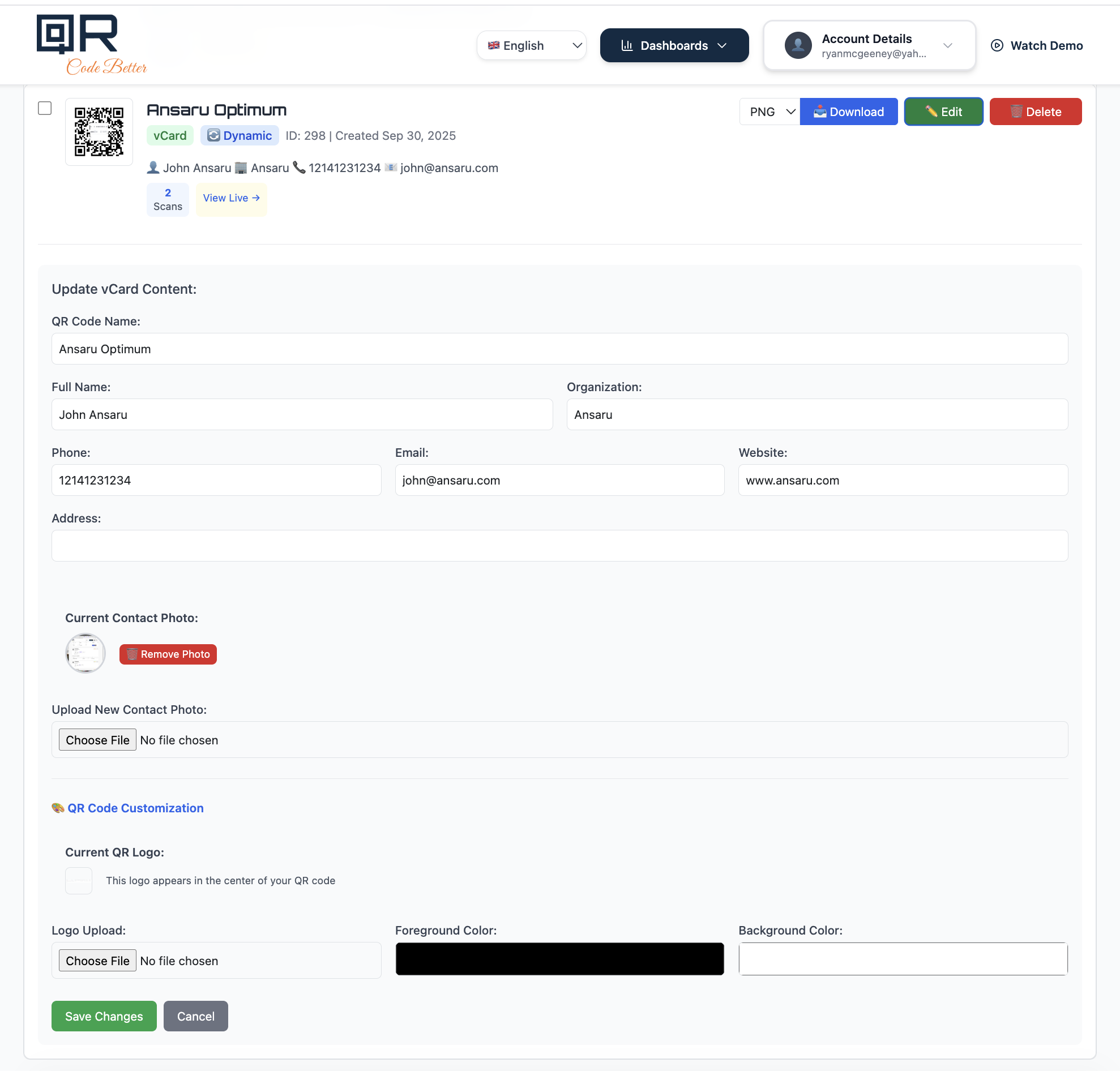
vCard contact cards for personal use. If you're encoding your name, phone number, and email into a QR code for a personal business card, and your contact info isn't likely to change, a static vCard code works fine. The phone reads the contact data directly from the code — no internet connection needed. However, if your job title, company, phone number, or email might change, a dynamic code pointing to a digital contact page gives you the ability to update without reprinting your cards.
Permanent, unchanging destinations. A QR code on a museum plaque linking to a Wikipedia article about the exhibit. A code on a park bench linking to a memorial page. A code on a product linking to a safety data sheet that will never move. If the destination is truly permanent and you don't need scan data, static works.
Offline or air-gapped environments. Static codes work without any internet connection during the scan — the data is in the code itself. If your use case involves scanning in environments without cellular or WiFi coverage (warehouses, underground facilities, rural areas), static codes are more reliable because they don't need to hit a redirect server.
Plain text or simple data. Encoding a serial number, an internal reference code, or a short text message doesn't require a redirect layer. Static is simpler and perfectly appropriate.
When dynamic codes are essential
For most business applications, dynamic is the right default. Here's a more specific breakdown:
Any printed marketing material. Flyers, postcards, brochures, mailers, posters, banners, trade show materials — anything you're printing in quantity and distributing. You need the ability to fix mistakes, update offers, and track results. For the full strategy, see our guide on QR codes for marketing campaigns.
Business cards. People change jobs, phone numbers, email addresses, and companies. A dynamic QR code on your business card can always point to your current contact info, even if your details change after the cards are printed. For networking strategies, check out how to share contact info at networking events.
Restaurant menus. Prices change. Items rotate. Seasonal specials come and go. A dynamic QR code on your table tent or menu holder lets you update the menu link without reprinting anything. Our restaurant menu QR code guide covers the full setup.
Product packaging. Manuals get updated, warranty registration pages move, support URLs change. A dynamic code on your packaging stays current regardless of what changes on the digital side.
Event materials. Venues change, schedules shift, ticket links get updated. Dynamic codes on event posters, flyers, and badges can be updated in real time as details change — even after the materials are printed and posted.
Anything where you want data. If the question "how many people actually scanned this?" matters to you at all, dynamic is the only option. Static codes are invisible — you have zero visibility into whether anyone is scanning them.
What scan tracking actually shows you
The tracking that comes with dynamic QR codes isn't just a nice-to-have — it's actionable business intelligence. Here's what you see in your dashboard for every dynamic code:
Total scans. The most basic metric, but also the most important. If you distributed 500 flyers and got 3 scans in two weeks, something is wrong — the placement, the call to action, the code size, or the offer itself needs attention. If you got 150 scans, you know the campaign is working and it's worth scaling up.
Scan timeline. When are people scanning? This tells you when your audience is most engaged. A restaurant might see scan spikes at lunch and dinner. A trade show flyer might spike the day after the event and taper off by day three. This data tells you when to distribute, when to follow up, and when to swap in fresh content.
Device and browser data. Knowing whether your scanners are on iPhone or Android, and which browser they're using, tells you exactly which platforms to optimize your landing pages for. If 80% of your scans come from iPhone Safari, that's where your landing page needs to be perfect.
Geographic location. Where are scans happening? If you placed QR codes in three different store locations and one is getting 10x the scans of the others, now you know where to double down and where to reconsider your approach. For a full walkthrough of what to do with scan data, see our guide on how to track QR code scans.
The decision framework
If you're still not sure which to pick, run through these questions:
Could the destination URL change for any reason? If yes → dynamic. "Any reason" includes typos, website redesigns, page reorganization, campaign updates, seasonal changes, and URL structure changes. If there's even a 10% chance the link could change, dynamic saves you from a reprint.
Do you need to know how many people scanned? If yes → dynamic. Static codes provide zero scan data. If you're spending money on printing and distribution, you need to know whether people are engaging.
Are you printing in quantity? If you're printing more than a handful of copies, dynamic is almost always the right call. The cost of reprinting 500 flyers because of a broken link far exceeds the cost of a dynamic QR code plan.
Is the data non-URL (WiFi, plain text, internal reference)? If yes → static is fine. WiFi codes, text codes, and simple data encoding don't benefit from a redirect layer.
Is the destination truly permanent and you don't care about tracking? If yes → static works. A QR code on a memorial plaque linking to a page that will never change doesn't need dynamic features.
For everything else — and that covers the vast majority of business use cases — go dynamic.
Common myths about static and dynamic codes
"Static codes are more secure because there's no middleman." The redirect layer in a dynamic code adds a hop, but it's your own service — not a third party intercepting data. The scanner's phone hits the redirect URL (hosted by your QR code provider) and gets forwarded to your destination. No personal data is collected from the scanner. The security difference is negligible for normal business use.
"Dynamic codes stop working if the QR service goes down." This is technically true — if the redirect server is offline, the scan won't reach the destination. In practice, reputable QR code services maintain high uptime because their entire business depends on it. This is a valid concern for mission-critical applications (emergency information, medical devices), where static codes with direct data encoding may be more appropriate. For marketing and business use cases, the risk is minimal.
"Static codes scan faster." The difference is imperceptible to humans. A dynamic code adds a single server redirect that takes milliseconds. The scanner won't notice any difference between a static code opening a URL directly and a dynamic code redirecting to the same URL.
"Dynamic codes are expensive." The cost of a dynamic QR code plan is almost always less than the cost of a single reprint. If one wrong link on one batch of printed materials costs you $200 in reprinting, a yearly dynamic plan has already paid for itself. And that's before counting the value of scan tracking data.
"I can just use a URL shortener instead of a dynamic QR code." URL shorteners like Bitly give you a redirect, but they don't give you a QR code management dashboard, the ability to organize and name your codes, scan analytics by code, or the option to change the redirect without also changing the short URL. They're also a separate system to manage on top of your QR codes. A proper dynamic QR code platform handles both the code and the redirect in one place.
How to switch from static to dynamic
If you've already created and printed static QR codes and now wish you'd gone dynamic, here's the bad news: you can't convert a static code to dynamic. The data encoding is fundamentally different — a static code contains your destination directly, while a dynamic code contains a redirect URL. You can't change what's already printed.
The good news: you can start using dynamic codes going forward. Create a new dynamic QR code with the same destination, and use it on your next print run. Over time, as you reprint materials naturally (new batches of business cards, updated flyers, seasonal menu refreshes), replace the old static codes with new dynamic ones.
For any codes that are already printed and distributed, the static version will continue to work as long as the destination URL stays live. They just won't give you any tracking data, and you won't be able to change the destination.
Get started with dynamic QR codes
The takeaway is simple: unless you have a specific reason to use static (WiFi, plain text, truly permanent destinations), start with dynamic. The flexibility to update destinations and the visibility into scan data make dynamic codes the right default for virtually every business use case.
- Create a free account on QR Code Better.
- Select Dynamic mode when creating your QR code.
- Enter your destination URL, customize the colors if you want, and download.
- Print it, place it, and track your scans from your dashboard.
- Change the destination anytime — no reprinting needed.
Start your free trial — create dynamic QR codes, track every scan, and update your links without reprinting.