QR Code for Flyers (Track Scans and Get More Responses)
Add a QR code to your flyer so people can scan and respond instantly. Instead of hoping they type in a long URL later, send them straight to your offer, contact form, event page, or business card.
With a dynamic QR code, you can update the destination anytime without reprinting flyers. Track scans, compare campaigns, and see which printed materials are actually generating leads. A QR code on flyers makes it easier for people to respond right away instead of forgetting to visit your website later.
Great for local services, events, promotions, direct mail, and any flyer campaign where you want a faster response.
Create Your Flyer QR Code
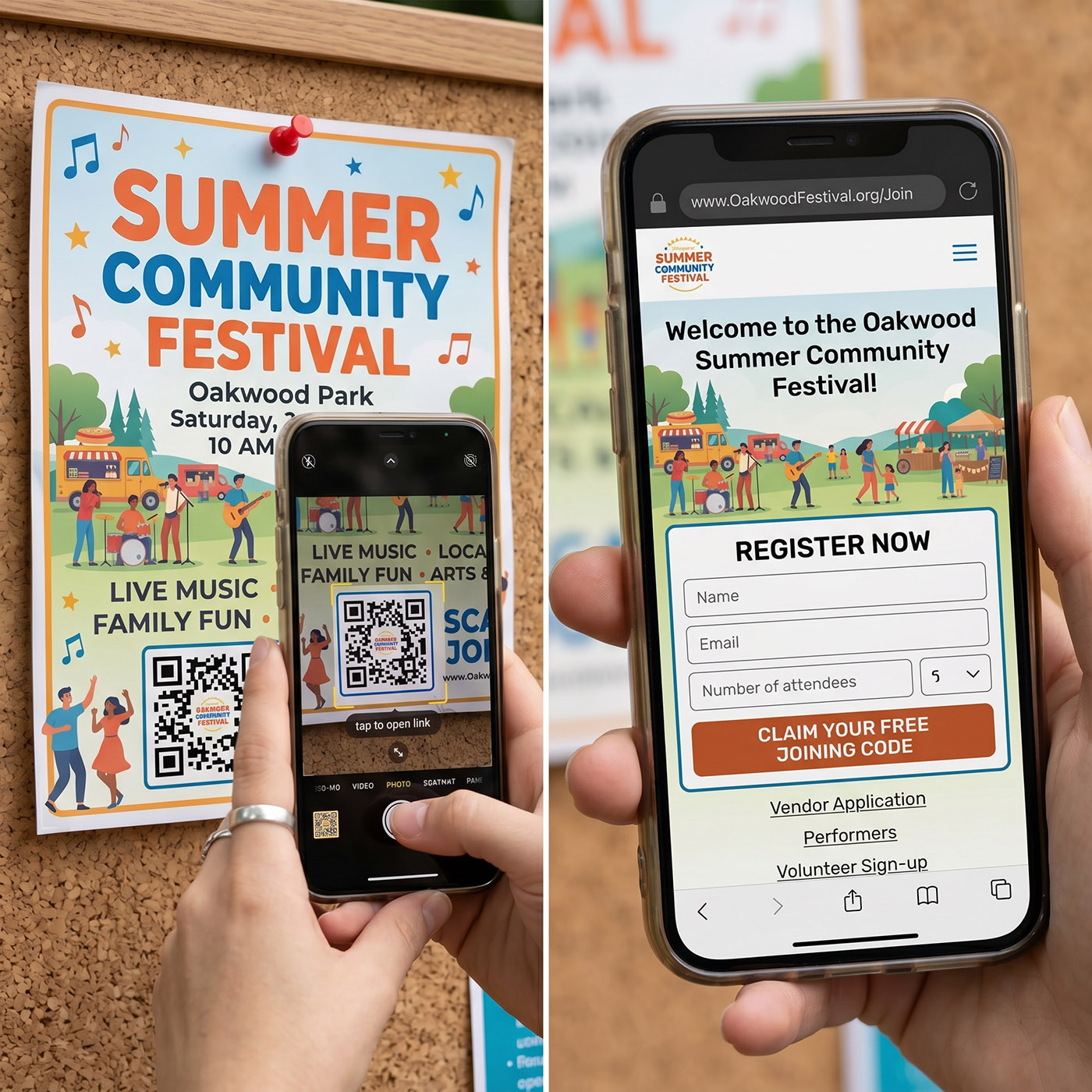
What happens when someone scans your flyer QR code?
1. They see your flyer — on a board, in the mail, or handed directly to them
2. They scan instead of typing a URL — no friction, no effort
3. Your page opens instantly — offer, form, event, or contact info
4. They take action — call, book, buy, or sign up
5. You track the scan — know if your flyer is actually working
Why use QR codes on flyers
Most people will not type a URL from a flyer. A QR code removes that step and turns interest into immediate action.
Instant access to your offer or page
Higher response rate than printed URLs
Works for local marketing and direct mail
Turns printed flyers into trackable campaigns
Where flyer QR codes work best
Any printed flyer becomes more effective with a QR code. Here are the most common use cases.
🔧 Local service flyers
🎪 Event promotion flyers
📬 Direct mail campaigns
🤝 Trade shows and handouts
🏷️ Coupon and promotion flyers
QR codes also work well on direct mail flyers because they turn a printed piece into something measurable instead of hoping someone remembers your website later.
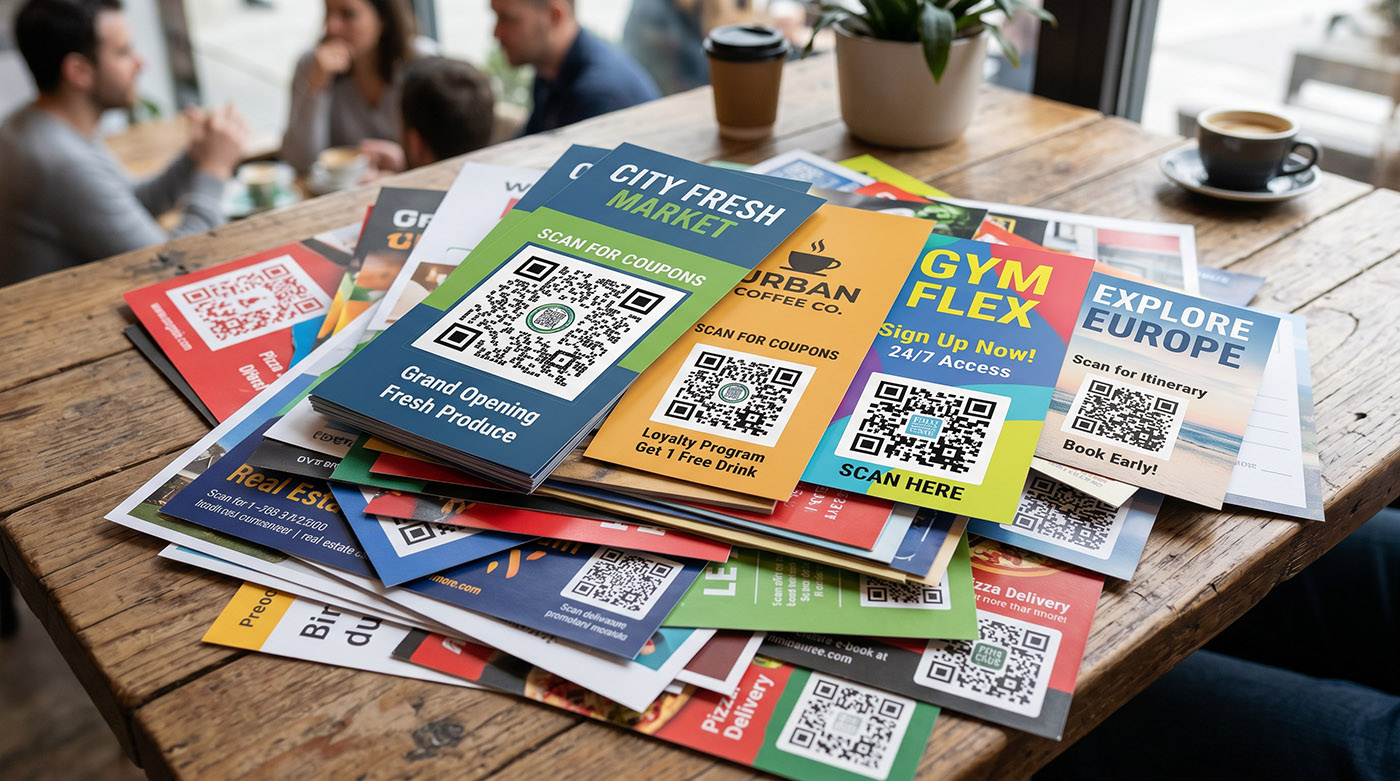
Flyers with QR codes vs traditional flyers
Traditional flyers
- • Requires typing a URL
- • No way to track engagement
- • Lower response rate
- • Can't update after printing
QR code flyers ✓
- • Instant scan access
- • Track every scan with analytics
- • Higher response rates
- • Update the link without reprinting
If your goal is response, not just visibility, flyers with QR codes usually outperform flyers that rely on people typing a URL later. The easier you make the next step, the more likely people are to take it.
What to link your flyer QR code to
The best flyer QR codes send people somewhere specific. Pick the destination that drives the action you want.
Landing page
Send users to a focused offer or campaign page designed to convert.
Coupon or promotion
Track coupon redemption and measure engagement from specific flyer drops.
Contact form
Capture leads instantly — name, email, phone, straight to your inbox.
Event registration
Drive signups directly from print. Works great for community events, classes, and workshops.
PDF or menu
Display full information instantly — menus, catalogs, brochures. See our PDF QR code generator.
Digital business card
Let people save your contact info with one tap. See our vCard QR code generator.
Track flyer performance with QR codes
Flyers are expensive if you cannot measure them. A QR code makes printed marketing trackable — finally, real data on your print campaigns.
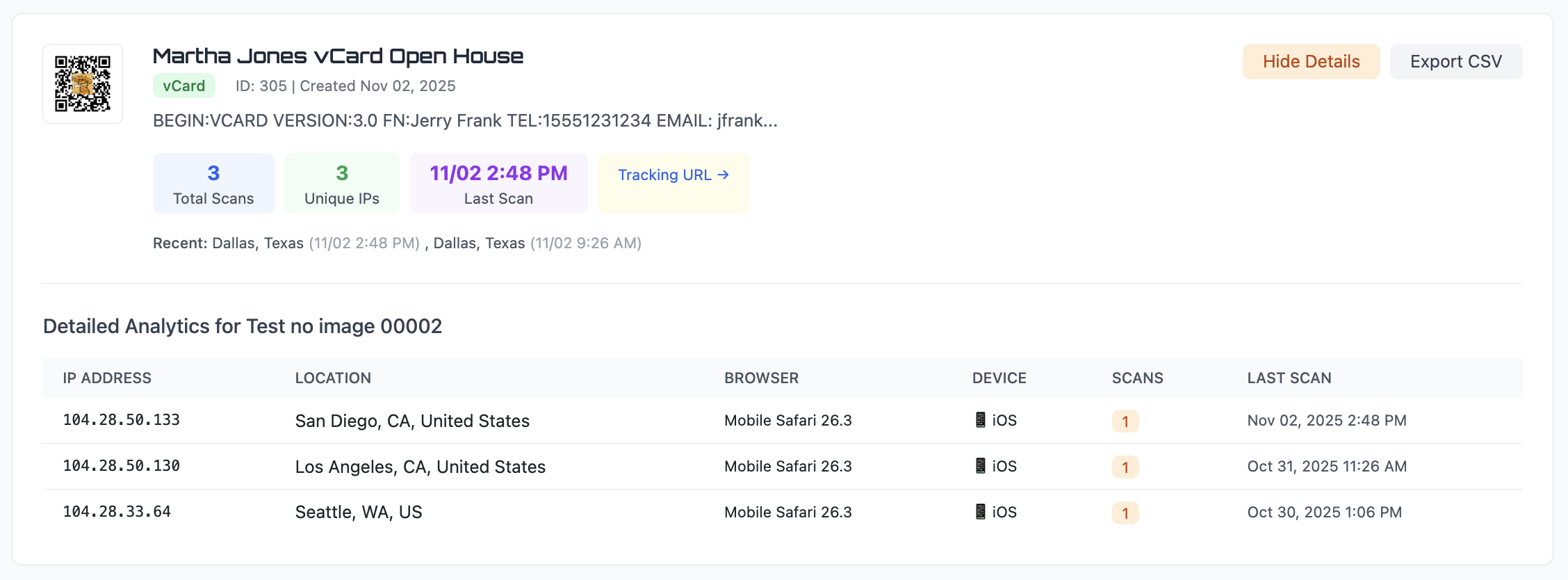
Scan count — see which flyer drops are getting the most response
Approximate location — know which neighborhoods are responding
Date and time — see when people are scanning your flyers
Device type — mobile vs desktop, browser details
Export scan data to CSV anytime. Compare different flyer campaigns side by side, or learn more in our QR code analytics guide.
You can create separate QR codes for different flyer versions, neighborhoods, offers, or events to see which campaign performs best.
Static vs dynamic QR codes for flyers
If you're printing hundreds or thousands of flyers, this decision saves money.
Static QR code
The URL is permanent. If your promotion ends or you need to change the page, the QR code still points to the old link. You'd need to reprint all your flyers.
Best for: one-time flyers where the link will never change.
Dynamic QR code ✓
Change the destination anytime. Run a new promotion, update your offer, or redirect to a different page — your printed flyers keep working without changes.
Best for: campaigns, recurring promotions, and any flyer you print in bulk.
Learn more about the differences in our static vs dynamic QR code guide.
Flyer QR Code FAQs
How do I add a QR code to a flyer?
Sign up for a free trial, paste the link to your offer or page, customize the QR code, and download it in PNG, SVG, or PDF format. Place it on your flyer design in any graphics program.
Can I change the link after printing flyers?
Yes. With a dynamic QR code, you can change the destination URL anytime. Run a new promotion, update your offer, or redirect to a different page — without reprinting flyers.
Can I track how many people scan my flyer QR code?
Yes. Every scan is logged with the date, time, approximate location, device type, and browser. You can compare different flyer campaigns and export the data to CSV.
What should my flyer QR code link to?
Common destinations include a landing page, coupon or promotion, contact form, event registration page, PDF menu, or a digital business card.
How big should the QR code be on a flyer?
At least 1 inch wide for a standard flyer. People are usually holding it in their hand or standing 1–2 feet away. Keep it away from edges and folds. See our QR code size guide for details.
Create your flyer QR code
Generate a QR code for your flyer in seconds. Send people straight to your offer, track scans, and turn printed marketing into measurable results.
Open QR Code GeneratorLooking for other ways to use QR codes in your business? See our QR code marketing guide.