QR Code for Contractors (Get More Jobs From Every Job Site)
Turn every job site into a contractor lead generator using QR codes. Add a QR code to your truck, yard sign, or materials so homeowners can instantly view your work, request a quote, and contact you.
No phone tag, no searching — just scan and connect. Update your portfolio or promotions anytime and track which locations are actually bringing in new jobs.
Works as a contractor lead generation system for trucks, job sites, and local marketing.
Create Your Contractor QR Code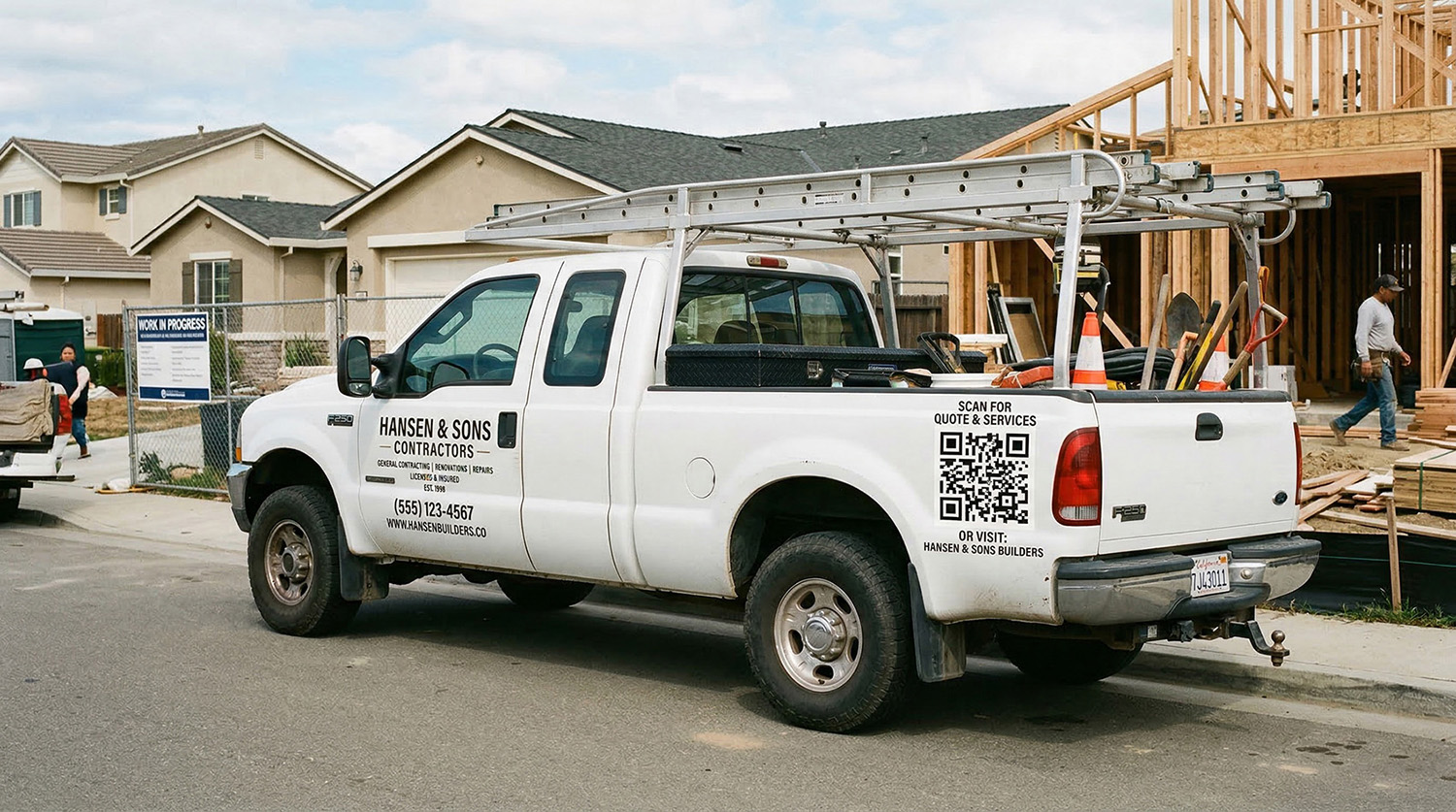
What happens when someone scans your QR code?
Every scan is a potential job. Here's exactly how it turns into a lead:
1. They see your truck or sign at a job site — your work is the best advertisement
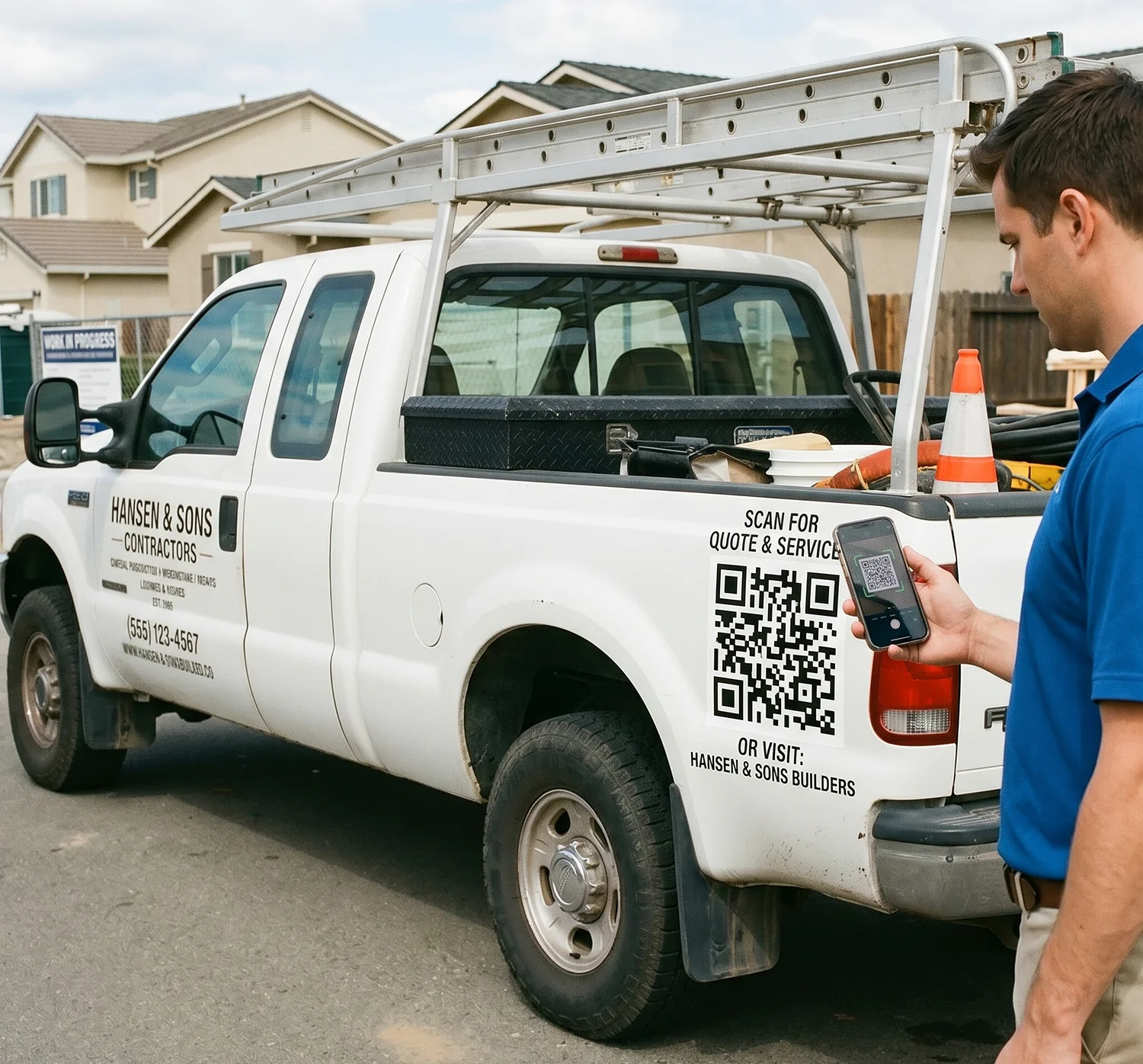
2. They scan the QR code — no writing down phone numbers or URLs
3. Your portfolio or website loads instantly — photos of past work, services, reviews
4. They request a quote or save your number — lead captured on the spot
5. You see the scan in your dashboard — know which locations are generating interest
How contractors use QR codes to get more jobs
Job sites: Neighbors see your work and scan your sign
Truck branding: Parked trucks become lead generators all day
After the job: Homeowners share your QR code with neighbors
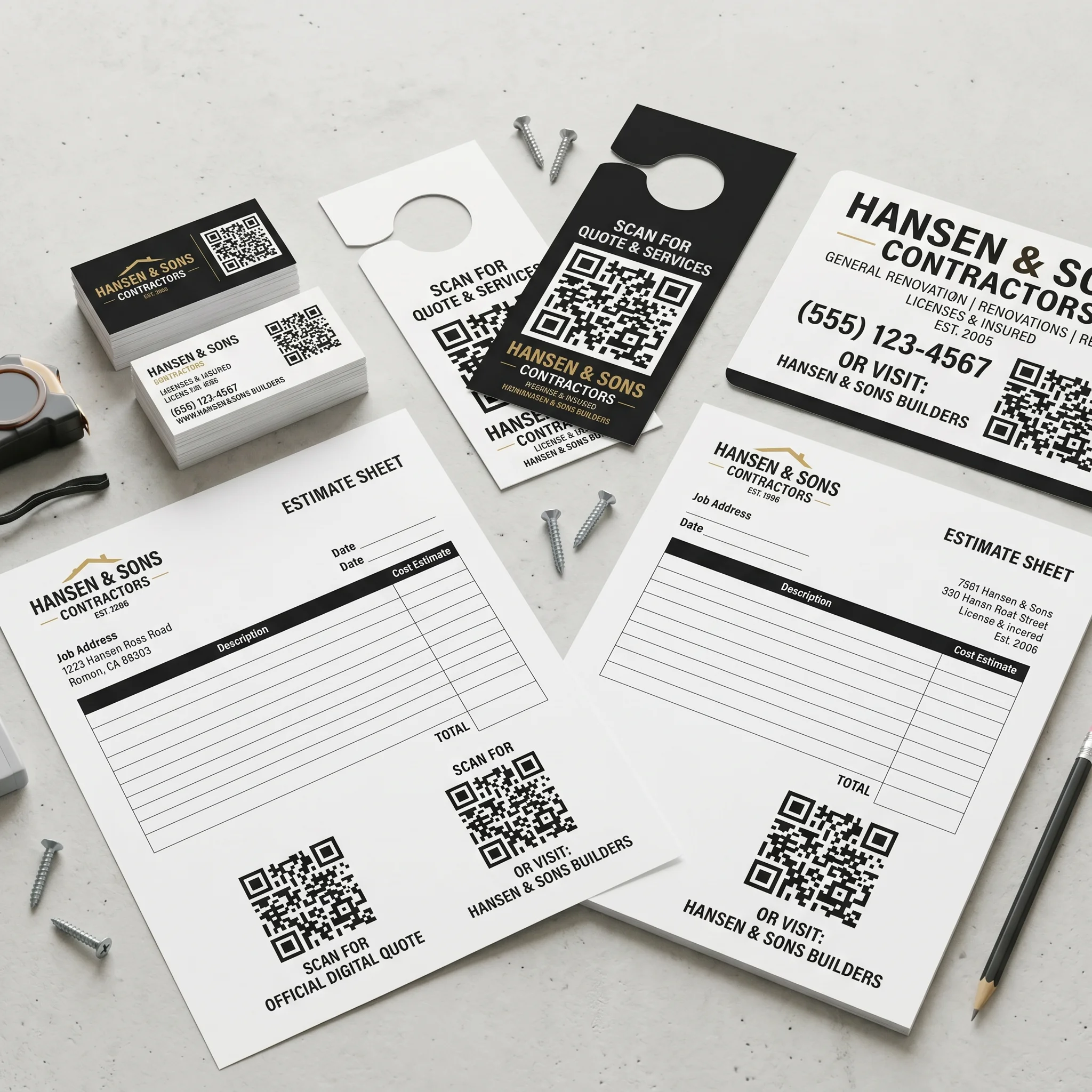
Door hangers: Leave behind a QR code instead of just a phone number
Estimates and invoices: Turn every document into a repeat lead source
Why contractors use QR codes
Word of mouth is great, but neighbors driving by your job site aren't going to knock on the door and ask for your number. A QR code on your truck or yard sign gives them instant access to your business.
Neighbors scan from the sidewalk and see your work instantly
No phone tag — they get your info when they want it
Update your portfolio or promotions without reprinting
Works 24/7 on your truck, even when you're on another job
Where to put QR codes for your contracting business
You're already out in neighborhoods, at job sites, and handing out estimates. Add a QR code everywhere you already have your name and let it work for you.
🚛 Work trucks and vans
🪧 Job site yard signs
💼 Business cards
🚪 Door hangers
📋 Estimates and invoices
📄 Flyers and mailers
Traditional contractor marketing vs QR codes
Traditional methods
- • Yard signs with just a phone number
- • Missed calls and phone tag
- • No tracking of what works
- • Leads lost when interest is highest
QR code system ✓
- • Instant access to your portfolio
- • Leads captured on the spot
- • Track which jobs bring new customers
- • Works 24/7 without effort
What to link your contractor QR code to
Homeowners want to see your work and know you're legit. Point your QR code to whatever builds trust fastest.
Portfolio or gallery
Show photos of completed projects. Before and after shots sell better than any pitch. Link to your website gallery or a Google Photos album.
Quote request form
Let homeowners submit their project details and contact info directly. Leads go straight to your inbox or CRM.
Google Reviews
Link directly to your Google Business review page. After finishing a job, hand the homeowner a card with the QR code and ask for a review.
Your website
Send people to your main site with services, service area, licensing info, and contact details.
Digital business card (vCard)
Let people save your name, phone, email, and website to their contacts with one tap. See our vCard QR code generator.
Scheduling link
Connect to Calendly or your booking system so homeowners can schedule an estimate on the spot.
Track which job sites and materials generate leads
With a dynamic QR code, every scan is logged. Create different QR codes for your truck, yard signs, and business cards — then see which ones are actually getting scanned.
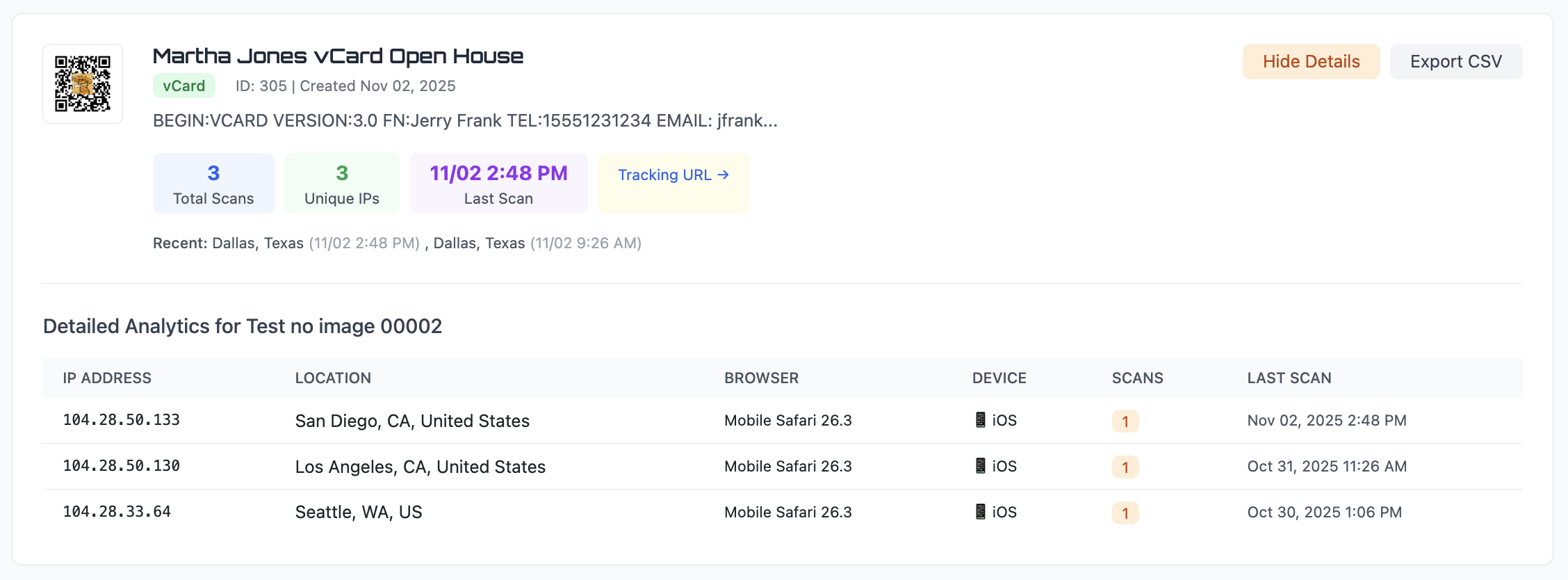
Scan count — see which materials are generating the most interest
Approximate location — know which neighborhoods are responding
Date and time — see when homeowners are looking for contractors
Device type — mobile vs desktop, browser details
Export scan data to CSV anytime. This is the kind of insight that helps you focus your marketing where it works.
Static vs dynamic QR codes for contractors
If your QR code is going on a truck wrap or permanent signage, this matters.
Static QR code
The URL is permanent. If you redesign your website or change your portfolio page, the QR code still points to the old link. You'd need to redo your truck wrap or reprint your cards.
Best for: links that will absolutely never change.
Dynamic QR code ✓
Change the destination anytime. Update your portfolio, run a seasonal promotion, or point to a new website — your truck wrap and printed materials stay exactly the same.
Best for: contractors who want flexibility and tracking from permanent signage.
Learn more about the differences in our static vs dynamic QR code guide.
Contractor QR Code FAQs
How do I create a QR code for my contracting business?
Sign up for a free trial, paste the link to your website or portfolio, customize the QR code, and download it in PNG, SVG, or PDF format. Print it on your truck, business cards, yard signs, or estimates.
Can I change where the QR code points after it's on my truck?
Yes. With a dynamic QR code, you can change the destination URL anytime. Update your portfolio, swap to a seasonal promotion, or point to a new website — without redoing your truck wrap.
Can I track how many people scan my QR code?
Yes. Every scan is logged with the date, time, approximate location, device type, and browser. You can see which job sites or trucks are generating the most interest.
What should my contractor QR code link to?
Common destinations include your website, a portfolio of past work, a quote request form, Google Reviews, or a digital business card (vCard) with your contact info.
How big should the QR code be on a truck?
At least 8–12 inches wide for a vehicle wrap. People may be scanning from across the street or a few car lengths away. Bigger is always better for outdoor signage. See our QR code size guide for details.
Create your contractor QR code
Generate a QR code for your business in seconds. Turn your truck, job sites, and materials into lead generators that bring in more jobs automatically.
Open QR Code GeneratorLooking for other ways to use QR codes in your business? See our QR code marketing guide.