Why Marketers Shouldn't Use Free QR Code Sites

You ran the campaign. You designed the flyer. You used one of those free QR code sites — the kind that takes 30 seconds and costs nothing — and you printed 2,000 copies.
Now your boss is asking how it performed. And you have absolutely nothing to tell them.
That's the real cost of free QR code generators. Not the $0 price tag. The cost is everything you can't do after you hit "generate."
What Free QR Code Sites Actually Give You
Free QR generators are fine for one thing: creating a static code you never need to change, measure, or manage. That's it.
The moment your campaign has any real-world complexity — and they always do — you hit a wall:
- You can't edit the destination. The URL is baked into the QR pattern itself. If the link changes, the promotion ends, or you find a typo, the only option is to generate a new code and reprint everything.
- You have zero scan data. How many people scanned it? Which city? What device? What time of day? You'll never know. You printed 2,000 flyers and the engagement data is a complete black hole.
- You can't organize anything. No dashboard. No folders. No way to manage multiple campaigns across multiple codes. Just a downloaded image file sitting in your downloads folder.
- There's nothing to export. No CSV, no report, no data to bring to a client meeting or a campaign debrief.
- When the campaign ends, the code is dead. That QR code on the flyer you handed out last October? It still exists in the world — in people's photo rolls, pinned to cork boards, taped to windows. It's still going to get scanned. And it goes nowhere useful.
None of this is hidden. Free tools are upfront about what they offer. The problem is that most marketers don't think through the implications until they're standing in front of a campaign that produced zero measurable results.
The Reprint Problem Is Real Money
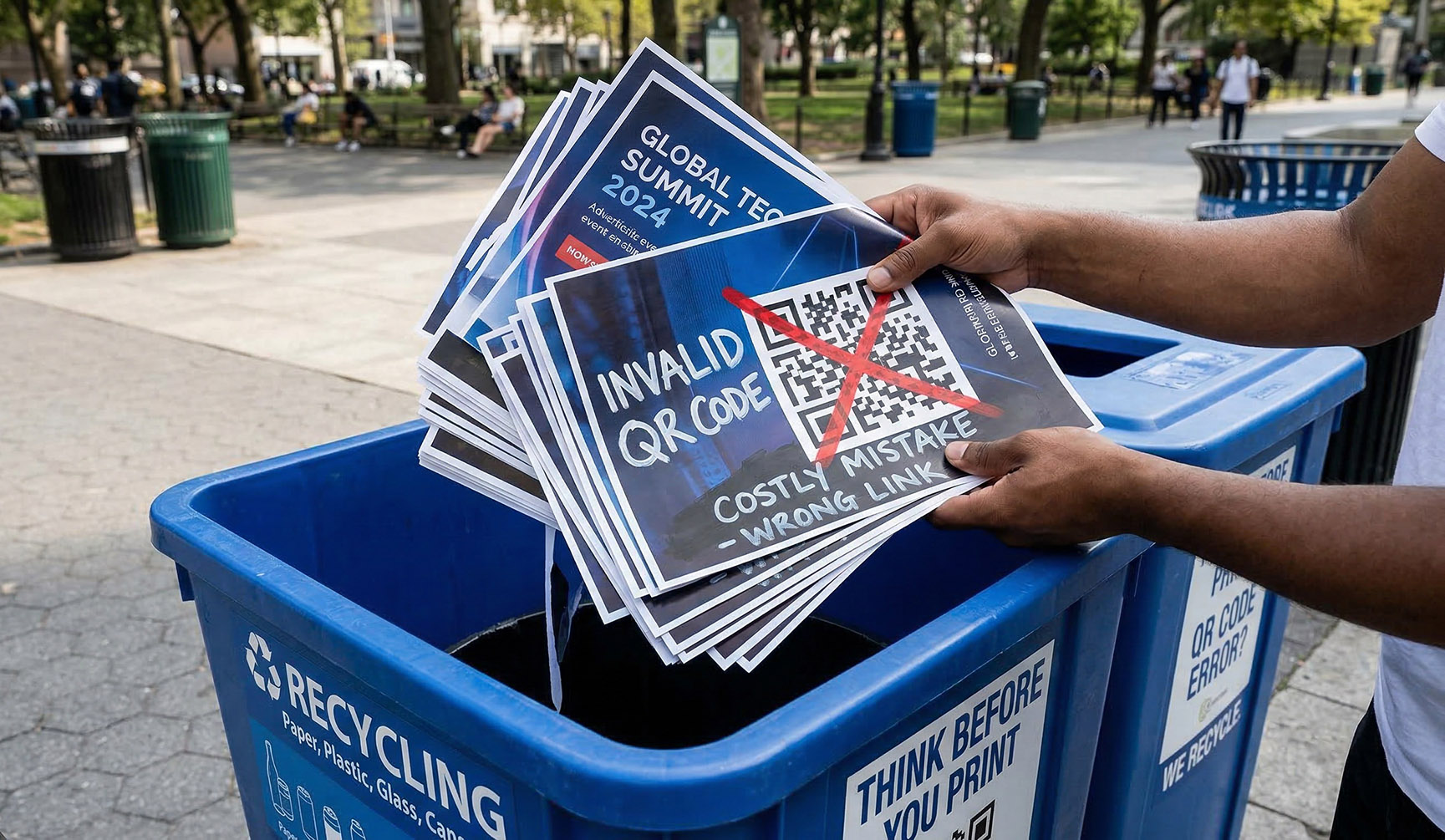
Here's a scenario that happens constantly in marketing teams: a URL changes after materials are printed. Maybe the landing page moved. Maybe the product page got reorganized. Maybe someone updated a slug without telling the design team.
With a static QR code, your printed materials are now wrong. Every single one of them. That's a reprint job — design time, print cost, distribution cost — for a problem that could have been fixed in ten seconds from a dashboard.
Printing costs vary, but even a modest run of flyers or brochures costs hundreds of dollars. A single reprint pays for months of a QR management tool.
And that's just the reprinting scenario. It doesn't account for the campaigns that quietly fail because the code went to a dead page and nobody noticed until it was too late.
What Marketers Actually Need From a QR Code Tool
When you're running real campaigns — not just generating a one-off code for a personal project — there are five things that matter:
1. Editable destinations
The ability to change where a QR code points after it's printed is non-negotiable for any professional marketing use. Campaigns change. URLs change. Promotions end and new ones start. Your printed QR code should be a permanent redirect that you control, not a frozen snapshot of a URL from the day you generated it.
2. Scan tracking
Every scan should tell you something: when it happened, roughly where, on what device, in what browser. That's not surveillance — it's the same basic analytics you'd expect from any other marketing channel. You wouldn't run a Google Ad with no conversion tracking. You shouldn't run a print campaign with no scan tracking.
3. A dashboard to organize your codes
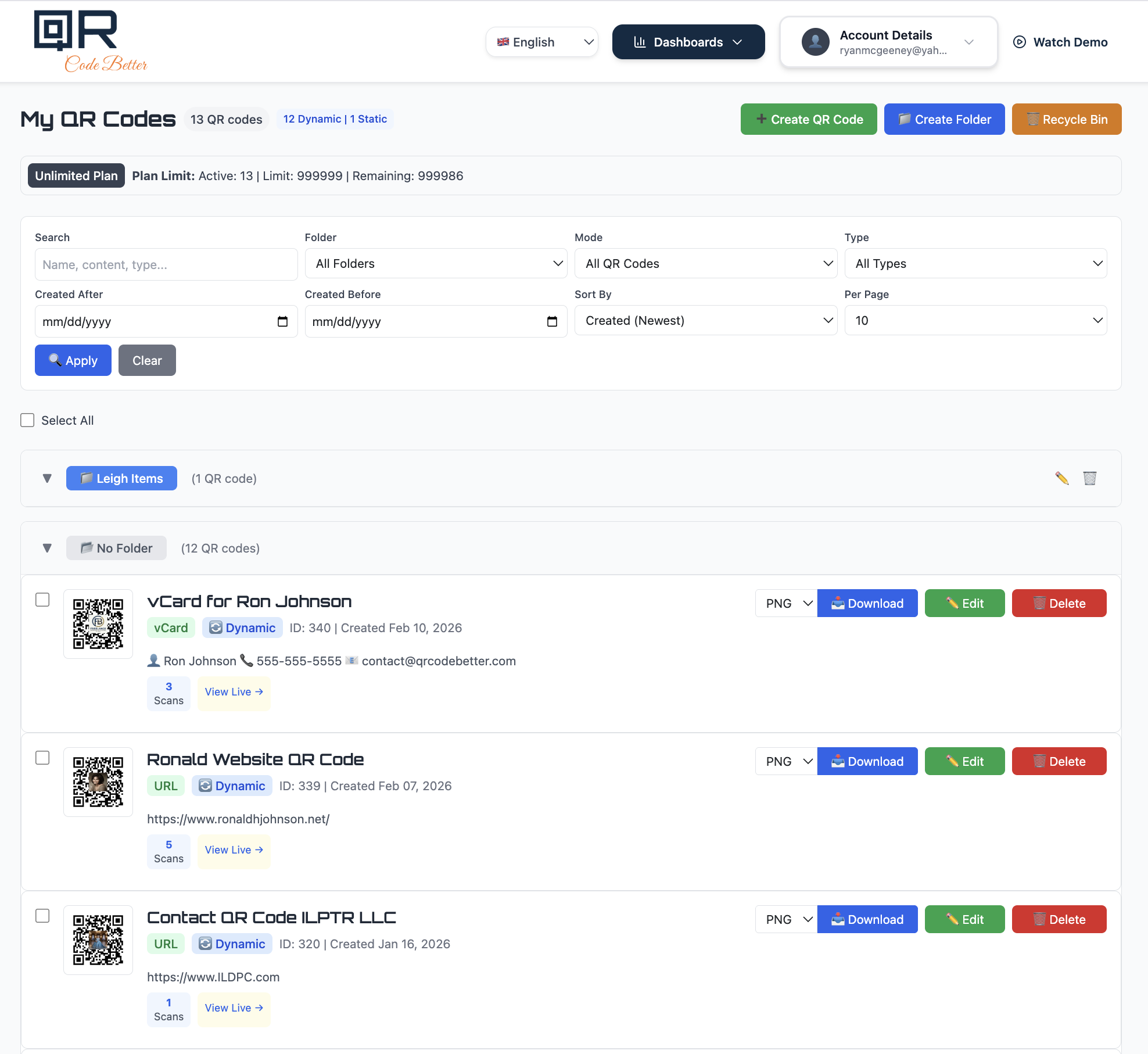
If you're running more than two or three campaigns at a time, you need somewhere to manage them. Folders for different clients or campaigns. The ability to search. Scan counts visible at a glance. The ability to quickly edit, download, or delete a code without hunting through a downloads folder.
QR Code Better's dashboard shows all your codes in one place — organized by folder, labeled by type, with scan counts visible on each entry. You can see at a glance which codes are active, which have been scanned, and what they're currently pointing to.
4. Multiple download formats
PNG works fine for digital use and low-stakes print. But if you're handing files to a print shop, you need SVG or PDF — vector formats that scale without losing quality. Free generators almost always lock you to PNG. That's fine until your designer asks for a high-resolution file for a banner or signage job.
5. CSV export
At some point, someone is going to ask you to report on a campaign. That means data they can look at — a spreadsheet showing scan counts over time, by location, by device. CSV export turns your QR analytics into something you can actually present. Without it, you're describing results from memory.
The "Free" Tool Is Often the Expensive One

The framing of "free vs. paid" misses the actual cost calculation. The real question is: what does it cost you when the free tool can't do what you need?
- One reprint job typically costs more than a year of a QR management subscription.
- One campaign you can't measure means one campaign you can't improve.
- One dead QR code still floating around on printed materials means ongoing brand damage you're not even aware of.
QR Code Better starts at $10/month. That's the cost of two cups of coffee, and it covers up to 10 editable, trackable QR codes with full dashboard access and CSV export. For most small marketing teams, the Starter plan covers everything they need.
The 14-day free trial requires no credit card. You can create codes, run them through a real campaign, pull the analytics, and decide if it's worth it — before you spend a dollar.
When a Free Generator Is the Right Choice
To be clear: free static QR generators are the right tool for some situations. If you're creating a one-time personal use code that you'll never need to change or track — a Wi-Fi password for your home network, a link to a personal document — a free tool is fine.
The problem is using a personal-project tool for professional marketing work. The moment you're spending money on print materials, trying to measure ROI, or managing multiple campaigns, you need a tool built for that use case.
What to Look for Instead
If you're evaluating QR tools for marketing use, here's the checklist that actually matters:
- Can you edit the destination URL after printing?
- Does every scan get tracked with location, device, and timestamp?
- Is there a dashboard where you can manage and organize multiple codes?
- Can you download in SVG or PDF for print-quality files?
- Can you export scan data to CSV?
- What happens to your codes if you cancel — do they keep working?
QR Code Better checks every one of these. Codes stay active for 30 days after cancellation, giving you time to transition. Scan data is exportable anytime. And the dashboard is built specifically for managing multiple codes across campaigns — not just generating one-offs.