Best Way to Start Using QR Codes
You've been seeing QR codes everywhere — on restaurant tables, product packaging, business cards, event posters, real estate signs. You know other businesses are using them. You've probably scanned a few yourself. But you haven't made the jump yet for your own business.
Maybe you're not sure where to start. Maybe you tried a free QR code generator once and weren't sure what to do with the result. Maybe you're worried about spending time on something that won't actually drive results.
Here's the thing: QR codes aren't complicated. But starting the right way makes the difference between a QR code that sits there doing nothing and one that actively brings in customers, saves you time, and gives you data you can act on.
This guide is for people who are ready to start using QR codes but want to do it smart from day one.
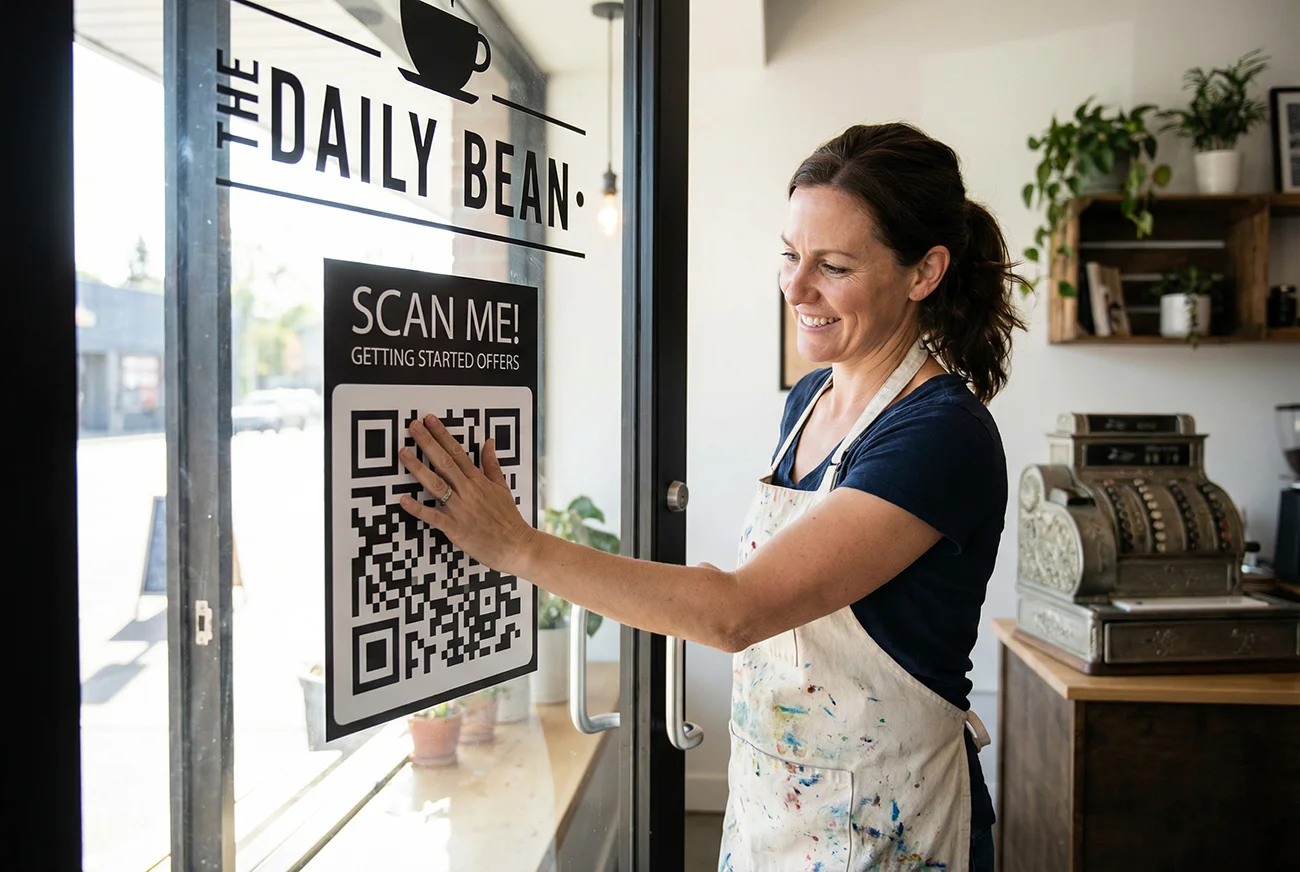
Start with one use case, not ten
The biggest mistake people make with QR codes is trying to do everything at once. They want a code on their business card, one on every product, one for their menu, one for their Instagram, one for their WiFi, and one for a promotion they haven't designed yet — all before they've created their first code.
That's a recipe for getting overwhelmed and abandoning the whole thing.
Instead, pick one specific use case that solves a real problem you're dealing with right now. Something where a QR code would save you time, reduce friction for your customers, or replace a manual process that's already annoying you.
Here are some examples of strong first use cases:
You hand out business cards regularly — and people have to manually type your phone number and email into their phone. A QR code with a vCard lets them scan and save your contact info instantly. No typos, no lost cards. If you network frequently, this one pays for itself immediately.
You run a restaurant or cafe — and you're constantly reprinting menus when prices change or items rotate. A dynamic QR code on each table links to a digital menu you can update anytime without reprinting. One print job, unlimited menu updates.
You distribute flyers or printed materials — and you have no idea if anyone actually follows up. A dynamic QR code on your flyer gives you scan tracking: how many people scanned, when, where, and on what device. Now your printed marketing has measurable data, just like your digital campaigns.
You have a physical location — and visitors always ask for the WiFi password. A WiFi QR code on a small sign or table tent lets people scan and connect instantly. No more spelling out "the password is all lowercase with a 7 at the end."
You sell products with packaging — and you want to link customers to instructions, warranty registration, reorder pages, or review forms. A QR code on the package bridges the gap between the physical product and your digital presence.
Pick the one that resonates most. Get that one working. Then expand from there.
The best use cases for QR codes in 2026
Once you've chosen your starting point, it helps to understand the full landscape of where QR codes are creating real value for businesses right now. This isn't a theoretical list — these are the use cases that are actually driving scans and results.
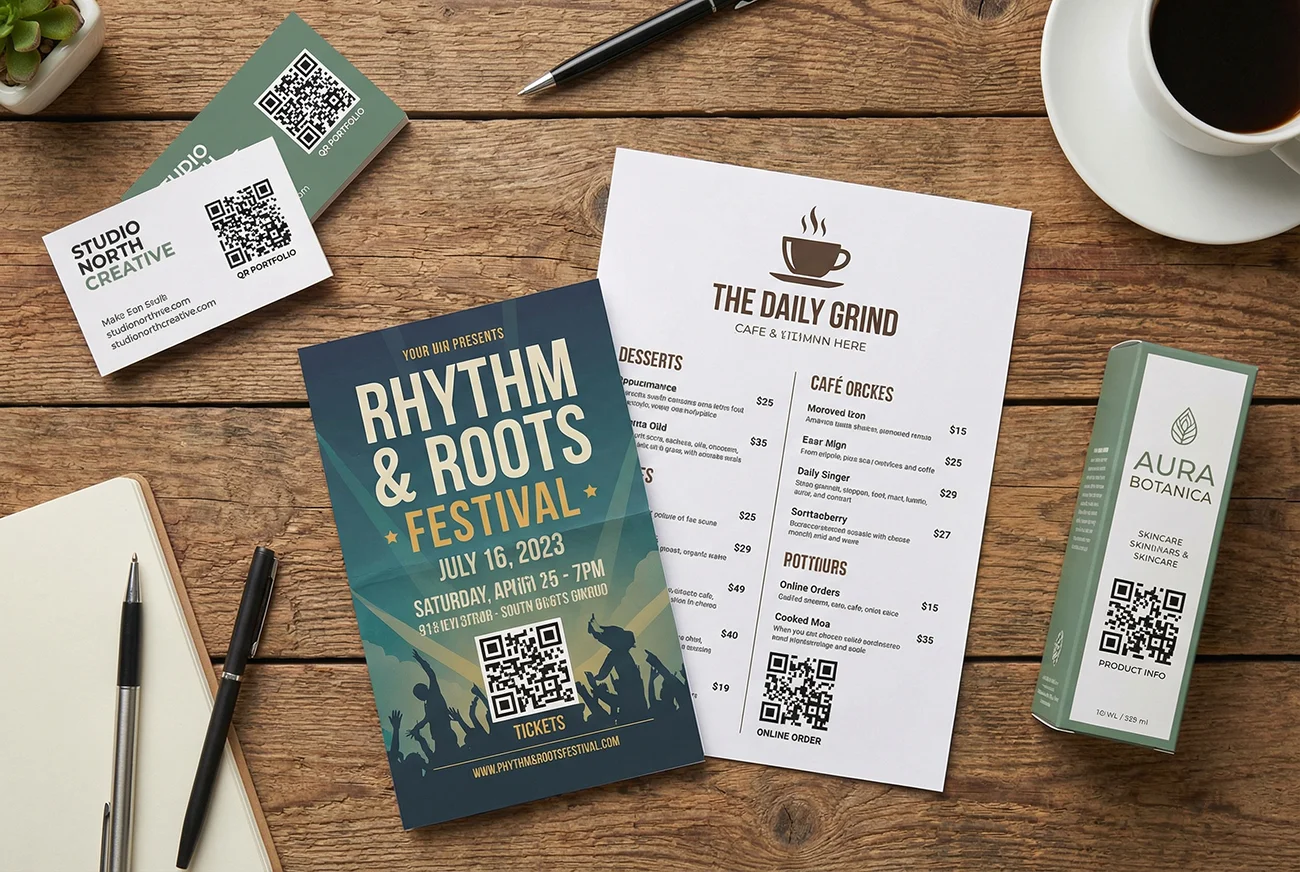
Print marketing and flyers. This is where QR codes shine the brightest. Every printed flyer, postcard, brochure, or mailer becomes trackable when you add a dynamic QR code. You'll know exactly how many people engaged with your print campaign — something that was nearly impossible before QR codes. Link to a landing page, a signup form, a coupon, or a product page. For the full strategy, see our guide on QR codes for marketing campaigns.
Business cards and networking. A vCard QR code on your business card lets people save your full contact details — name, phone, email, company, website, job title — with a single scan. It eliminates the friction of manual entry and makes sure your info actually ends up in their phone, not in a stack of forgotten cards on their desk. We wrote a full walkthrough on sharing contact info at networking events.
Restaurant and cafe menus. Digital menus accessed through QR codes have become standard. The key advantage isn't just the contactless experience — it's the ability to update your menu instantly when you change prices, add seasonal items, or run specials. One QR code, printed once, linked to a menu you control forever. See our restaurant menu QR code guide for step-by-step setup.
Email signatures. Adding a QR code to your email signature gives every recipient a fast way to save your contact info, visit your portfolio, or book a meeting. It works especially well for sales teams, consultants, freelancers, and anyone who sends a high volume of emails. Check out how to add a QR code to your email signature.
Events and conferences. QR codes at events can handle check-ins, share schedules, link to speaker bios, distribute presentation slides, or connect attendees to WiFi. They reduce the need for printed handouts and let you update information in real time if the schedule changes.
Product packaging. A QR code on a product label or box can link to assembly instructions, warranty registration, how-to videos, reorder pages, or customer support. It extends the customer experience beyond the physical product without adding bulk to the packaging.
Retail signage and window displays. A QR code on a store window or in-store display can link to online inventory, special promotions, loyalty program signups, or your online store. It captures interest from foot traffic even when the store is closed.
Real estate. QR codes on property signs, listing flyers, and open house materials let potential buyers instantly access photos, virtual tours, pricing details, and agent contact information. It captures leads at the moment of highest interest.
Always start with dynamic QR codes
If you take one piece of advice from this entire guide, make it this: use dynamic QR codes from the very beginning.
A static QR code bakes the destination URL permanently into the code pattern. Once it's printed, you can't change where it points. If the link breaks, the page moves, or you want to swap in a better landing page — you're reprinting everything.
A dynamic QR code uses a redirect layer. The printed code stays the same forever, but you control the destination from your dashboard. Change it anytime. No reprinting. No wasted materials.
Dynamic codes also give you something static codes never will: scan tracking. Every time someone scans your code, you get data — total scans, scan dates and times, device types, and geographic locations. This is how you measure whether your QR campaigns are actually working.
The cost difference between static and dynamic is minimal. The regret difference is enormous. For a full breakdown of how the two types compare, read our guide on editable QR codes after printing.
What your first QR code campaign should look like
Let's say you've picked your use case and you're ready to create your first QR code. Here's what a solid first campaign looks like from start to finish.
Create the QR code. Sign up, choose dynamic mode, select your type (URL, vCard, WiFi, etc.), enter your destination, and customize the colors if you want. Keep it simple for your first one — black on white scans the most reliably. If you need the step-by-step, our how to make a QR code guide covers every click.
Download the right file. PNG works for most print and digital uses. If you're printing large (banners, posters, vehicle wraps), use SVG so it scales without losing quality. Never screenshot a QR code — always use the download button.
Place it with a call to action. A QR code by itself doesn't tell people why they should scan it. Always include a short line of text nearby: "Scan to see our menu," "Scan to save my contact," "Scan for 20% off your first order." People scan significantly more when they know what they'll get.
Test before you commit. Scan the code with at least two phones (one iPhone, one Android) from a realistic distance in realistic lighting. Make sure the destination page loads fast on mobile. This 30-second test can save you hundreds of dollars in wasted prints.
Print small first. Don't order 5,000 flyers on your first run. Print 50 or 100. Distribute them. Check your scan data after a week. If everything is working and scans are coming in, scale up. If scans are zero, you've caught the problem early and cheaply.
Review and iterate. After your first batch is out in the world, check your analytics. Are people scanning? Is the scan count growing or flat? Are scans happening when and where you expected? Use this data to decide whether to scale up, adjust placement, improve your call to action, or change the landing page.
Track everything from day one
This is the part most first-timers skip — and the part that separates businesses that get results from QR codes from those that give up after a month.

When you use dynamic QR codes, every scan is recorded. Your dashboard shows you data that directly informs your next move:
Total scans tell you whether people are engaging at all. If you distributed 500 flyers and got 3 scans in two weeks, something is wrong — the placement, the call to action, the offer, or the code itself needs attention.
Scan trends over time show you when engagement peaks. Maybe your restaurant QR code gets the most scans between 11:30am and 1pm on weekdays. Maybe your event flyer scans spike the day after you hand them out and drop to zero by day three. This tells you when your audience is most receptive.
Device data tells you what phones your audience uses. If 80% of your scans are from iPhones, you know your landing page needs to look perfect on iOS Safari. If you're getting a mix, test on both platforms regularly.
Location data tells you where scans are happening. If you put QR codes in three different locations and one is getting 10x the scans of the others, now you know where to double down — and where to reconsider placement.
Without tracking, you're guessing. With tracking, you're making decisions based on real data. For the full setup walkthrough, read how to track QR code scans and explore your QR code analytics dashboard.
Mistakes first-timers make (and how to avoid them)
After watching how businesses use QR codes for the first time, the same mistakes come up again and again. Here's what to watch for so you don't repeat them.
Using a static code when they should've used dynamic. This is the number one regret. The first time you need to change a destination URL and can't — because the link is permanently baked into a code that's already printed on 1,000 menus — you'll wish you'd gone dynamic. The small upfront investment saves enormous headaches later.
No call to action near the code. A QR code sitting on a flyer or poster with no explanation is a missed opportunity. People need a reason to pull out their phone. "Scan for 20% off," "Scan to see the full menu," "Scan to save my contact info" — even a simple "Scan Me" with a brief description of what they'll get increases scan rates dramatically.
Linking to a non-mobile-friendly page. The person scanning your code is on a phone. If your landing page requires pinching and zooming, loads slowly on cellular data, or shows a desktop layout that's hard to navigate with a thumb — you've lost them. Always test your destination page on an actual phone over cellular data, not just on WiFi at your desk.
Making the code too small. QR codes need to be sized appropriately for the scan distance. A tiny code in the corner of a poster looks clean but won't scan from across the room. The general rule: the code should be about 1/10th the expected scan distance. Four feet away? The code should be roughly five inches across. For exact sizing guidance, see our minimum QR code size guide.
Not testing before printing. It takes 30 seconds to scan your QR code with two different phones and confirm the destination loads correctly. It takes days and dollars to reprint materials when you discover the link was wrong. Always test. Always.
Printing once and never checking scan data. If you're not checking your analytics after distributing QR codes, you have no idea whether they're working. Zero scans after a week is a clear signal that something needs to change. But you'll never know unless you look.
Sending scanners to a generic homepage. If your QR code is on a flyer promoting a specific event, product, or offer — don't send people to your homepage and expect them to navigate to the right page. Link directly to the specific landing page, signup form, product page, or offer. Reduce the number of clicks between the scan and the action you want them to take.
Scaling up: what to do after your first QR code works
Once your first QR code is live, tested, and generating scans, it's time to expand strategically.
Add QR codes to more touchpoints. Look at every place your business interacts with people physically: business cards, packaging, receipts, signage, invoices, shipping labels, event badges, table tents, brochures, vehicle wraps. Each of these is an opportunity to bridge the physical and digital experience.
Create campaign-specific codes. Don't reuse the same QR code across different campaigns. Create separate codes for your spring promotion, your trade show flyer, and your product packaging. This gives you clean data — you'll know exactly which campaign drove which scans.
A/B test your calls to action. Try different text near your QR code and see which one generates more scans. "Scan for 15% off" might outperform "Learn more" by a wide margin. Dynamic codes make this easy because you can track each variation separately.
Update destinations seasonally. One of the most powerful things about dynamic codes is that your printed materials stay current without reprinting. Swap the landing page behind your menu QR code when the seasonal menu changes. Update the offer behind your flyer QR code when the promotion expires. Your physical materials stay relevant year-round.
Organize your codes. Once you have 10, 20, or 50 QR codes, naming and organization become critical. Use clear, descriptive titles in your dashboard: "Spring 2026 Flyer - 20% Off Landing Page" is much easier to manage six months later than "QR Code 14." Use folders if your platform supports them.
How to get started today
- Create a free account on QR Code Better.
- Pick one use case that solves a real problem for your business right now.
- Create a dynamic QR code so you can edit the destination and track scans.
- Download as PNG (or SVG for large-format printing).
- Add it to your design with a clear call to action and clean margins.
- Test with at least two phones before printing.
- Print a small batch, distribute, and check your scan data after one week.
- Scale up based on real results.
That's it. No overthinking. No massive upfront investment. One QR code, one use case, real data to guide your next step.
Start your free trial — create dynamic QR codes, track every scan, and update your links without reprinting.