How to Use QR Codes for Event Check-In, Scheduling, and Networking
Events have a logistics problem that never fully goes away: you need to get the right information to the right people at the right time, and that information keeps changing. The venue shifts a room assignment. A speaker cancels. The schedule gets rearranged. The ticket link updates. The WiFi password is different from what was printed in the program.
Printed materials can't keep up with this. But QR codes — specifically dynamic QR codes — can. A single code printed on a poster, badge, or program can point to a live page that you update in real time. No reprints. No crossed-out schedules taped to the wall. No staff running around handing out corrected flyers.
This guide covers every practical way to use QR codes at events — from conferences and trade shows to weddings, fundraisers, and community meetups — with specific placement advice, setup steps, and the mistakes that trip up first-time event organizers.
Why QR codes work so well for events
Events are temporary by nature. They happen on a specific date, in a specific place, with a schedule that's often in flux until the last minute. This makes them a perfect use case for dynamic QR codes, because:
Information changes constantly. Room assignments shift. Sessions get added or cancelled. Speaker bios get updated. Sponsor logos change. A dynamic QR code lets you update what attendees see when they scan — without reprinting the signage that's already hanging in the venue.
Printed programs are outdated before the ink dries. Every event organizer knows the pain of finalizing a printed program, only to have a last-minute change make it inaccurate. A QR code in the program that links to a live digital schedule solves this permanently.
Attendees already have their phones out. At conferences, trade shows, and networking events, people are already using their phones to take photos, check emails, and connect on LinkedIn. Scanning a QR code fits naturally into that behavior — there's no adoption barrier to overcome.
You get real data. How many people actually looked at the schedule? How many scanned the sponsor booth code? How many downloaded the presentation slides? With dynamic QR codes, every scan is tracked. This data is valuable for post-event reporting, sponsor ROI justification, and planning future events.
The essential QR codes every event needs
Not every event needs every type of QR code. But here are the use cases that consistently deliver value, roughly in order of impact:
1. Event schedule and program
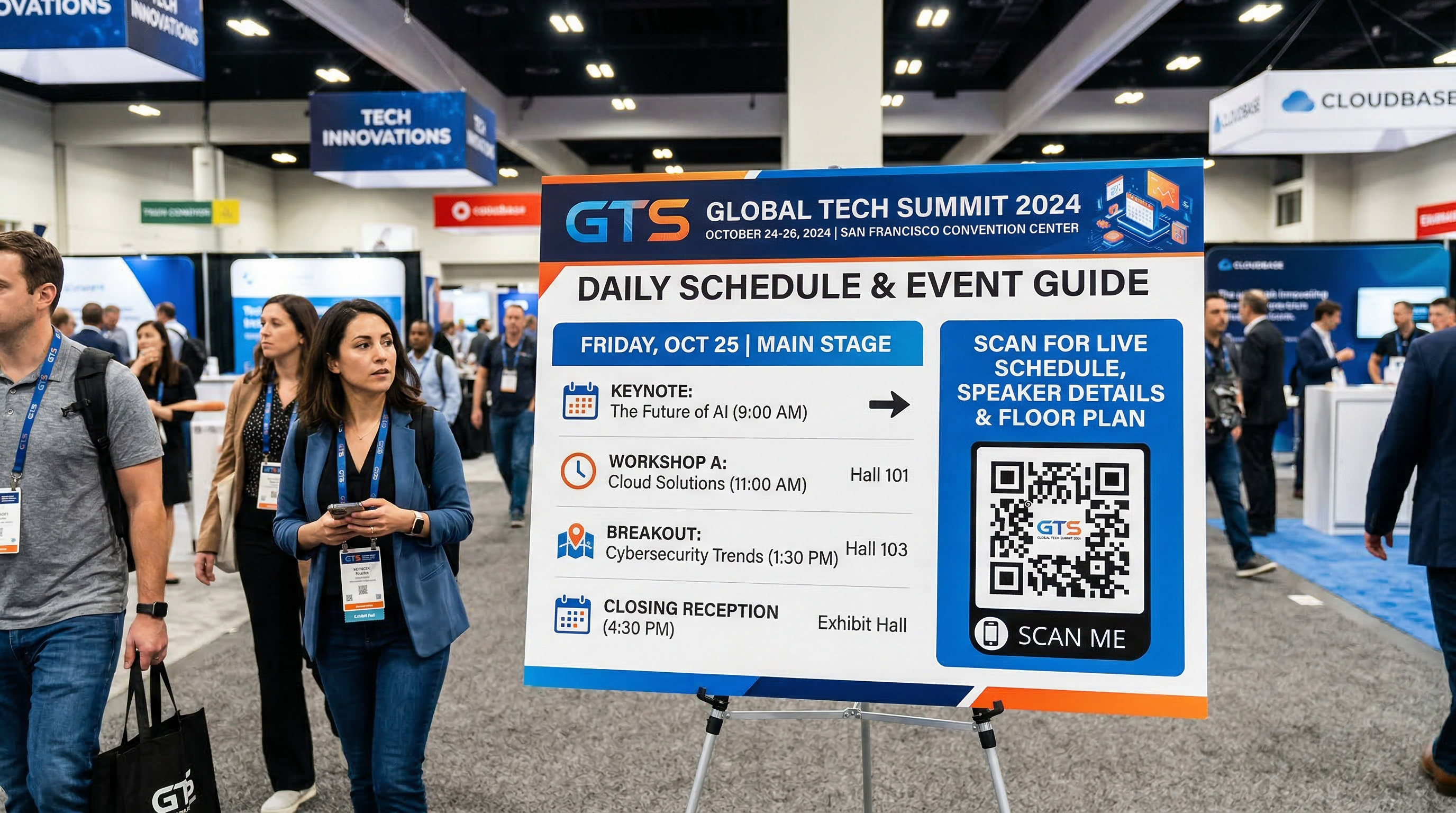
This is the single highest-value QR code for any event with multiple sessions, speakers, or time blocks. Instead of printing a detailed program that becomes outdated the moment something changes, print a simple QR code with "Scan for Live Schedule" on signage throughout the venue.
The QR code links to a mobile-friendly web page with the current schedule. When a session time changes, a room moves, or a speaker drops out, you update the page — and every attendee who scans the code (or already has the page open) sees the current information.
Place this QR code on the printed program itself (as a supplement, not a replacement — some people prefer paper), on large signage near the entrance and registration area, and on directional signs throughout the venue.
2. Check-in and registration
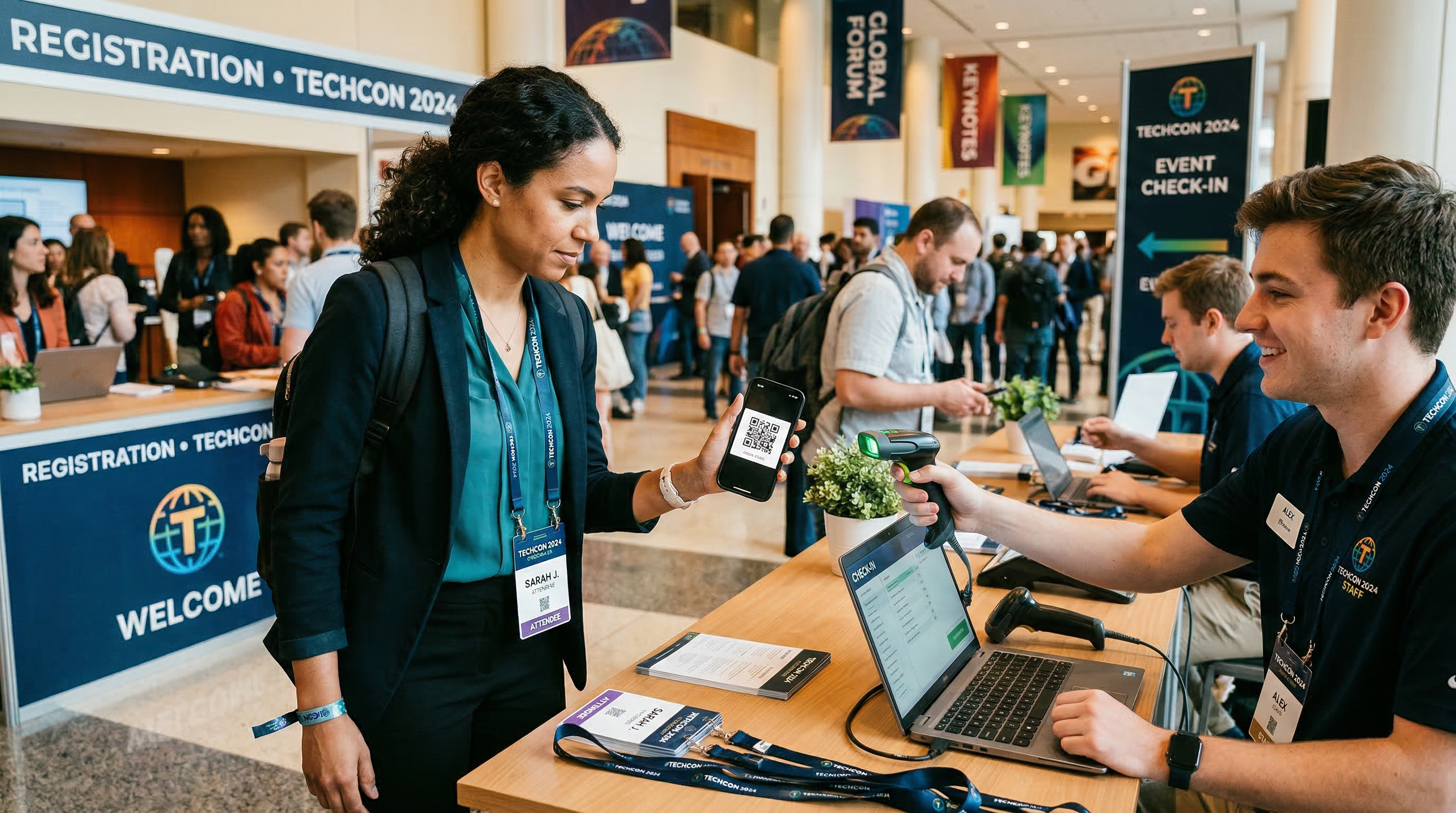
QR codes can dramatically speed up event check-in. The basic approach: when someone registers online, they receive a confirmation email with a unique QR code. At the event, they show the QR code on their phone, staff scans it, and they're checked in. No searching through printed lists, no spelling names, no manual data entry.
For smaller events without dedicated check-in software, you can still use QR codes effectively. Create a QR code that links to a simple check-in form (a Google Form works fine) and post it at the entrance. Attendees scan, enter their name, and you have a digital attendance record.
The speed difference is significant. Manual check-in with printed lists averages 30-60 seconds per person. QR code check-in takes 5-10 seconds. For an event with 200 attendees, that's the difference between a 30-minute line and a 5-minute flow.
3. WiFi access
Almost every event attendee will want WiFi access, and almost every event involves the same awkward exchange: "What's the WiFi password?" repeated hundreds of times over two days.
A WiFi QR code eliminates this entirely. Print the code on signage throughout the venue, on table tents in session rooms, and in the event program. Attendees scan and connect instantly — no typing, no asking staff, no confusion about which network to join. For the full setup process, see our guide on creating a WiFi QR code.
4. Speaker and session details
For conferences with multiple speakers, create a QR code for each session or speaker that links to a page with their bio, presentation abstract, social media links, and (after the session) their slide deck or recording. Place the QR code on the directional signage outside each session room.
This serves double duty: before the session, it helps attendees decide whether to attend. After the session, it becomes a resource hub for slides, follow-up materials, and speaker contact info. Because you're using dynamic codes, you can update the page after the session to add the slide deck without changing any signage.
5. Networking and contact exchange
Events are fundamentally about connecting people. QR codes make contact exchange instant and reliable. Instead of fumbling with business cards or manually typing in someone's LinkedIn URL, a vCard QR code lets attendees scan and save full contact details — name, phone, email, company, title, website — directly to their phone contacts.
For event organizers, consider printing a vCard QR code on attendee badges. Each badge has a unique QR code that, when scanned by another attendee, saves that person's contact info. This is especially powerful at networking-focused events where the whole point is making connections. For more on this approach, see our guide on sharing contact info at networking events.
6. Feedback and surveys
Post-event surveys are critical for improving future events, but response rates are notoriously low when you send them by email days later. QR codes let you capture feedback while the experience is still fresh.
Place a "How was this session?" QR code outside each session room, linking to a quick 3-question survey. Put a "Rate your experience" QR code near the exit. Add a feedback QR code to the closing slide of every presentation. The closer you capture feedback to the actual experience, the higher your response rate and the more useful the data.
7. Sponsor and exhibitor engagement
For trade shows and conferences with sponsors, QR codes give exhibitors a measurable way to engage attendees. A QR code at a booth can link to a product demo, a lead capture form, a giveaway entry, a downloadable resource, or a meeting scheduling page.
The key value for sponsors: scan data provides concrete engagement metrics. Instead of "we estimate 200 people walked by our booth," they can report "147 people scanned our QR code, 89 filled out the lead form, and 23 scheduled demos." This justifies sponsorship spend and helps you price future sponsorships appropriately.
8. Maps and wayfinding
Large venues are confusing. A QR code on directional signage that links to an interactive venue map — with room numbers, exhibitor locations, food areas, and restrooms marked — saves attendees from wandering and saves your staff from giving directions all day.
This is especially effective for multi-building events, convention centers with complex layouts, or events spread across multiple floors. Update the map in real time if rooms change or areas close.
Event types and which QR codes to prioritize
Not every event needs all eight QR code types. Here's a quick guide based on event type:
Corporate conferences and summits. Prioritize: schedule, check-in, WiFi, speaker details, feedback surveys. These are information-heavy events where attendees need to navigate multiple sessions and speakers. The live schedule QR code alone will save your team hours of fielding "what room is the 2pm session in?" questions.
Trade shows and expos. Prioritize: sponsor/exhibitor QR codes, maps, WiFi, networking. The primary value here is lead capture and exhibitor engagement tracking. Every booth should have at least one QR code linking to a lead form or product page.
Workshops and training sessions. Prioritize: materials distribution, feedback, WiFi. Link to workbooks, handouts, templates, or follow-up resources via QR code instead of printing stacks of paper that most attendees will lose. Capture feedback immediately after the session while the experience is fresh.
Networking events and meetups. Prioritize: vCard contact exchange, WiFi, event details. The whole point is connecting people, so make contact exchange as frictionless as possible. vCard QR codes on badges or name tags are the highest-impact move.
Weddings and private parties. Prioritize: WiFi, photo sharing, schedule/program. A QR code linking to a shared photo album lets every guest contribute photos without needing to join a specific app. A schedule QR code in the program helps guests know what's happening when — ceremony, cocktail hour, dinner, speeches, dancing.
Fundraisers and galas. Prioritize: donation page, auction items, schedule, sponsor recognition. A QR code that links directly to your donation page — especially during the fundraising portion of the event — removes friction from the giving process. Guests can donate from their phone in under a minute without waiting for a paper pledge card to reach their table.
Community events and festivals. Prioritize: maps, schedule, WiFi, vendor information. Large outdoor events benefit enormously from a digital map and live schedule, since printed programs get lost, blown away, or left in the car.
How to set up QR codes for your event
Here's the practical workflow for getting QR codes ready for an event:
Step 1: List your QR code needs. Based on the event type guidance above, identify which QR codes you need. Be specific: "Schedule QR code for main entrance signage," "WiFi QR code for session rooms," "Feedback QR code for post-session surveys." Name them clearly — you'll thank yourself later when you're managing a dozen codes in your dashboard.
Step 2: Create your destination pages first. Before generating any QR codes, make sure the pages they'll link to actually exist and look good on mobile. This is critical. Every page an attendee reaches by scanning should be mobile-optimized, fast-loading, and immediately useful. Test each page on your phone over cellular data — not just on WiFi at your desk.
Step 3: Generate dynamic QR codes. Create a free account on QR Code Better, select Dynamic mode, and create a QR code for each destination. Use descriptive names in your dashboard: "GlobeCon 2026 - Live Schedule," "GlobeCon 2026 - WiFi," "GlobeCon 2026 - Session A Feedback." This organization matters when you need to make quick updates on event day.
Step 4: Download in the right format. For large signage and banners, use SVG so the codes stay crisp at any size. For programs, badges, and small prints, PNG works fine. For detailed guidance on sizing, see our QR code minimum size guide.
Step 5: Test everything. Scan every code with at least two phones (one iPhone, one Android). Verify each destination loads correctly on mobile. Do this before you send anything to the printer. A 30-second test per code can prevent expensive reprints and embarrassing broken links on event day.
Step 6: Send to your designer or printer. Provide the QR code files (not screenshots) to whoever is designing your signage, programs, and badges. Remind them to maintain the quiet zone (white space around the code) and keep the code at the appropriate size for the expected scan distance.
Where to place QR codes at your event
Placement determines whether your QR codes get scanned or ignored. Here are the placements that consistently perform best:
Registration and entrance area. This is where every attendee passes through. Place your schedule QR code, WiFi QR code, and event app QR code (if applicable) here on large, visible signage. Attendees are already in "setup mode" — getting oriented, finding their badge, figuring out what to do first. Give them the tools right at the start.
Session room entrances. Outside each session room, place a QR code linking to the session details and speaker bio. After the session ends, update the destination to include the slide deck or recording. Attendees often photograph these signs anyway — a QR code gives them something more useful than a photo of a door sign.
Attendee badges. If your event focuses on networking, a vCard QR code on each badge is extremely powerful. Two people meet, one scans the other's badge, and the contact is saved. No business card fumbling, no manual typing, no "I'll look you up on LinkedIn later" that never actually happens.
Presentation slides. Ask speakers to include a QR code on their closing slide linking to their contact info, the slide deck download, or a follow-up resource. This captures audience interest at the peak moment — right when the presentation has made its impact.
Table tents and centerpieces. For seated events (galas, dinners, award ceremonies), table tents with QR codes work perfectly. WiFi access, the evening's program, the donation page, or a photo sharing album — all scannable right from the table without getting up or asking anyone.
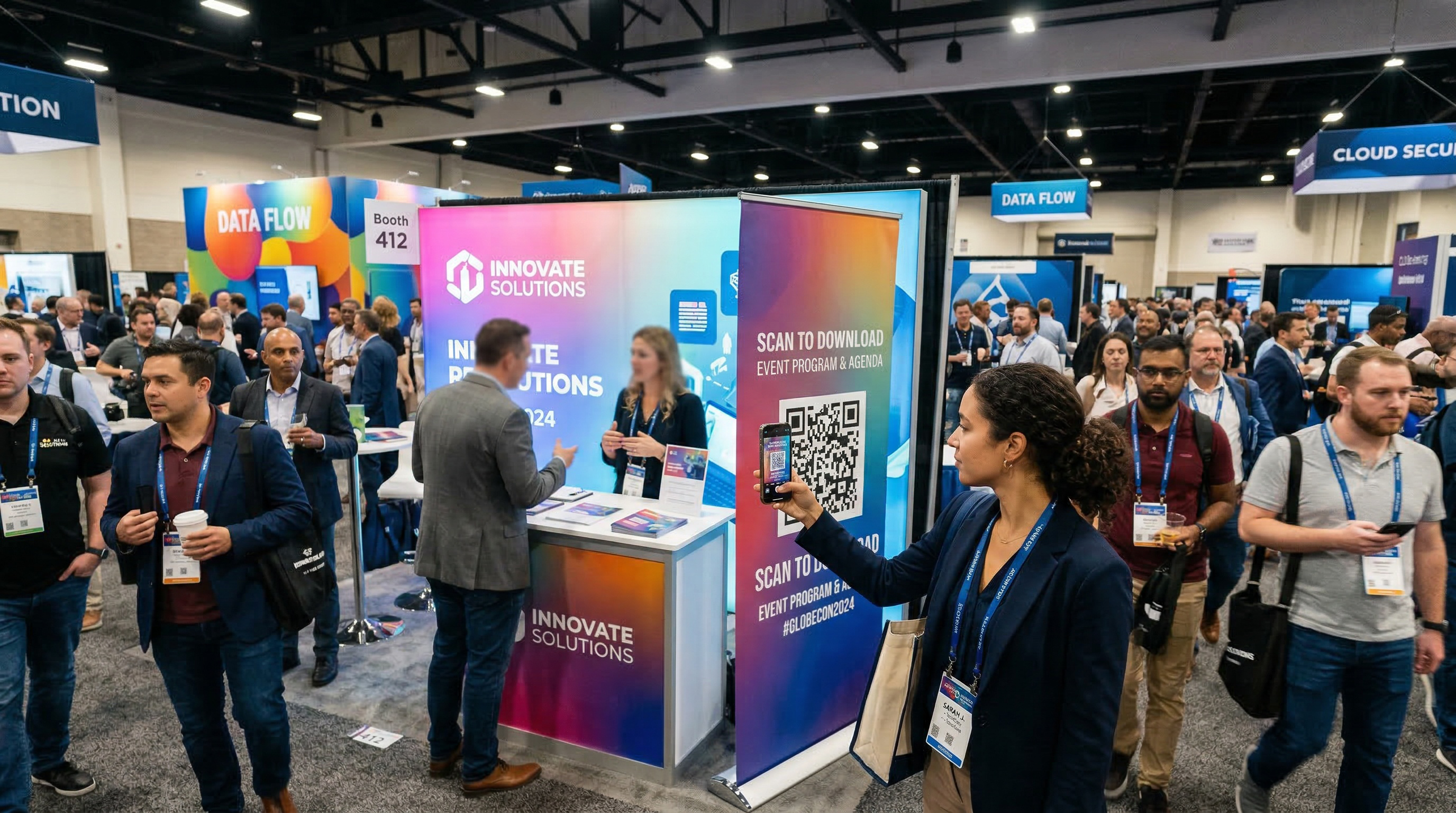
Exhibitor booths. Every booth should have at least one visible QR code. The best placement is at eye level on the booth's front-facing signage, with a clear call to action: "Scan for a demo," "Scan to enter the giveaway," "Scan to download our whitepaper."
Dynamic codes are non-negotiable for events
If there's one type of QR code you should never use at an event, it's a static URL code. Events are inherently dynamic — things change, schedules shift, links get updated. A static code locks you into a destination you can't change after printing.
With dynamic codes, you can update any destination in real time from your dashboard. Room change at 8am on event day? Update the schedule page and every QR code linking to it still works. Speaker uploaded their slides after the session? Swap the session page to include the download link. Sponsor wants to change their booth QR code destination between day one and day two? Done in 10 seconds.
You also get scan tracking for every code, which feeds directly into your post-event reporting. For a deeper look at when to use each type, read our guide on static vs dynamic QR codes.
Common mistakes with event QR codes
Printing codes too small on signage. A QR code on a banner that attendees scan from 6 feet away needs to be at least 7 inches across. A tiny code in the corner of a poster might look design-friendly, but it won't scan from across the room. Size the code for the actual scan distance.
No call to action. A QR code on a sign with no explanation will be ignored by most people. Always include text that tells attendees what they'll get: "Scan for live schedule," "Scan to connect to WiFi," "Scan to save this speaker's contact info." The call to action is what motivates someone to pull out their phone.
Linking to non-mobile pages. Every person scanning your event QR codes is on a phone. If the destination page requires pinching, zooming, or horizontal scrolling, you've lost them. Test every destination on an actual phone before printing. This includes PDFs — if your schedule is a PDF designed for print, it will be painful to read on a phone screen. Use a mobile-friendly web page instead.
Creating one QR code for everything. Don't make attendees scan a single QR code and then navigate through a menu to find what they want. Create separate codes for separate purposes: one for the schedule, one for WiFi, one for feedback. Each code should deliver immediate, specific value.
Forgetting to update after the event. Your event ends, but the QR codes on distributed programs and saved photos continue to get scanned for weeks or months. Don't let those scans hit a dead or outdated page. Update the destinations to post-event pages: recordings, slide decks, photo galleries, "save the date" for next year, or a "thanks for attending" page with a feedback survey.
Not tracking sponsor QR code performance. If sponsors are paying for booth presence and you're providing QR codes, track the scan data and include it in your post-event sponsor report. This turns a vague "lots of foot traffic" claim into a concrete "your booth QR code was scanned 234 times over two days" metric. That data helps justify and increase sponsorship rates for future events.
After the event: what to do with your QR codes
The event is over, but your QR codes can keep working for you:
Update destinations to post-event content. Swap the live schedule page for a recap page with photos and highlights. Update session QR codes to include slide decks and recordings. Change the registration QR code to a "register for next year" page. Dynamic codes make all of this possible without any new print materials.
Review your scan data. Which QR codes got the most scans? Which session had the most engagement? Did the WiFi QR code get scanned more than the feedback QR code? This data tells you what attendees valued most and where to invest more effort next time. For help interpreting your data, see our guide on how to track QR code scans.
Report to stakeholders and sponsors. Compile scan data into your post-event report. For sponsors, provide booth-specific QR code metrics. For your own team, compare QR code engagement against other event metrics like attendance, session capacity, and survey responses.
Save your codes for next year. If you run recurring events, keep your QR codes organized in your dashboard with clear naming conventions. Next year, you can reuse the same codes with updated destinations — no need to reprint signage that already has QR codes on it. A banner with a QR code from last year's conference still works perfectly if you update the destination for this year's schedule.
Get started
QR codes solve the fundamental tension of event management: you need to communicate a lot of changing information to a lot of people, and printed materials can't keep up. Dynamic QR codes bridge that gap — one print run, unlimited updates, and real data on how attendees engage.
- List the QR codes your event needs (schedule, WiFi, check-in, feedback, etc.).
- Create a free account on QR Code Better and generate a dynamic code for each one.
- Build your destination pages — mobile-friendly and fast-loading.
- Test every code on two phones before sending to print.
- Place codes at high-traffic locations with clear calls to action.
- Update destinations in real time as things change.
- Review scan data after the event to improve next time.
Start your free trial — create dynamic QR codes for your next event. Track every scan, update every link, no reprinting needed.