Dynamic QR Code
Edit it. Track it. Never reprint.
A dynamic QR code lets you change the destination URL after printing — and tracks every scan with location, device, and time data.
Print it once. Update it forever.
14-day free trial • No credit card required

What Is a Dynamic QR Code?
A dynamic QR code uses a short redirect URL instead of encoding the destination directly. That redirect is stored on a server you control — so you can change where it points at any time, from your dashboard, without touching the printed code.
The redirect also logs every scan — time, location, device, and browser — giving you real data on how your printed materials perform.
Edit anytime
Change the destination URL from your dashboard. The printed QR code stays exactly the same.
Track every scan
See total scans, unique visitors, location, device, browser, and exact timestamp for every scan.
Never reprint
Wrong link? New campaign? Updated contact info? Fix it online. Your printed materials stay usable.
How a Dynamic QR Code Works
The QR code points to a short redirect URL. You control where that redirect goes. Every scan gets logged before the redirect happens.
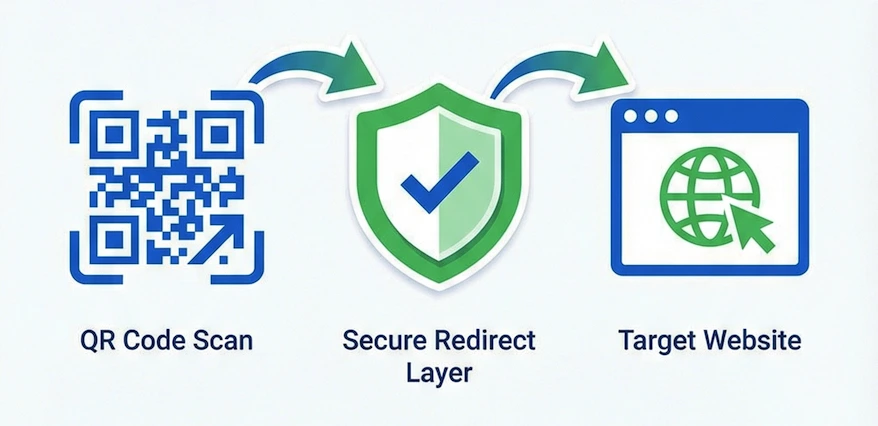
You create a dynamic QR code
The code encodes a short redirect URL — not the final destination. Print it on anything.
Someone scans it
Their phone hits the redirect URL. The scan is logged instantly — time, location, device, browser.
They reach your destination
The redirect sends them to your URL instantly. No delay, no visible difference from a static code.
You update it anytime
Change the destination from your dashboard. All existing printed codes automatically point to the new URL.
Edit From Your Dashboard
Every dynamic QR code has a full edit view. Change the destination, update contact details, swap your logo — all without touching the printed code.
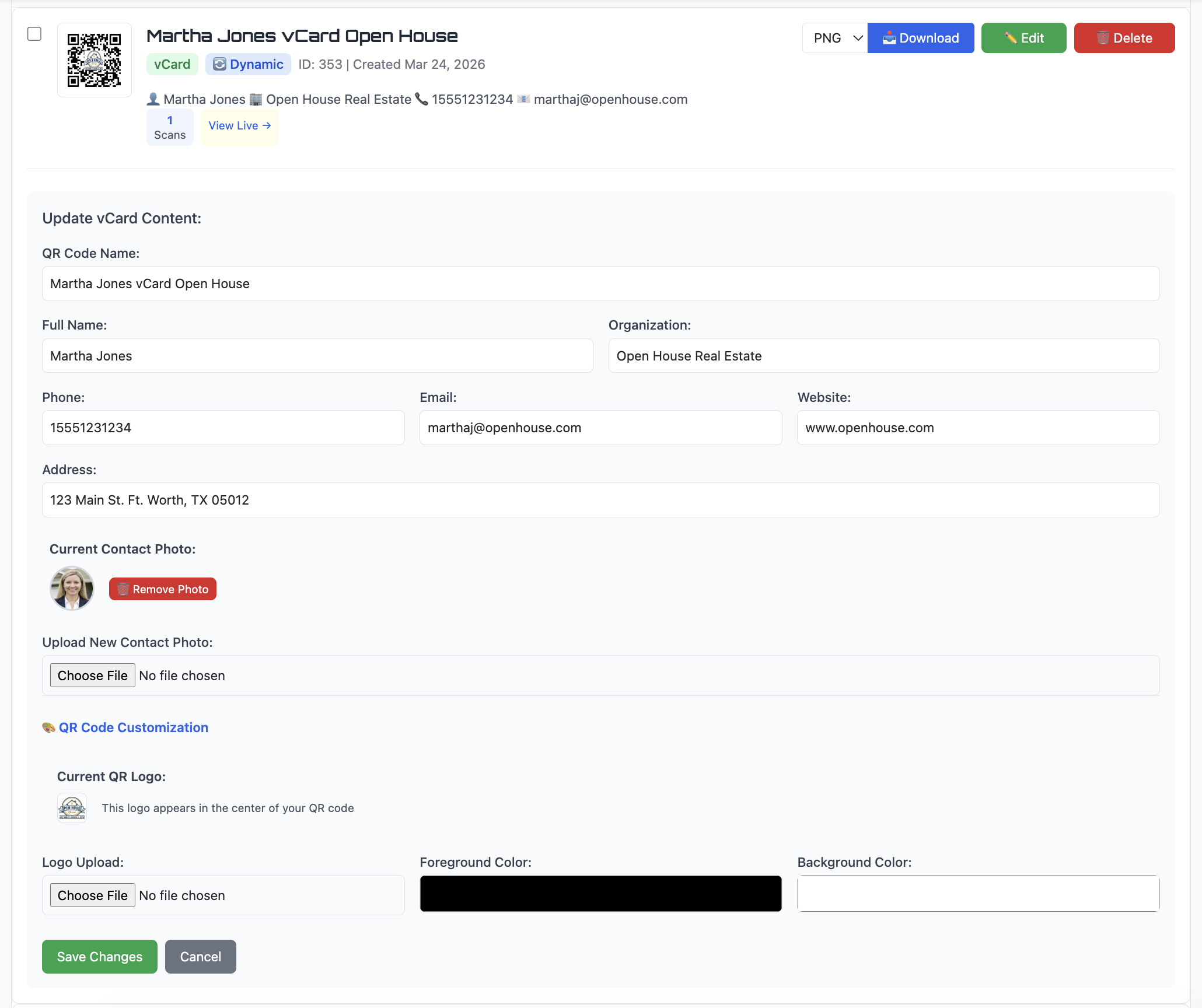
Change the URL
New campaign, wrong link, or seasonal update — swap it in seconds.
Update contact info
New phone number or email? Edit the vCard — same QR code on your business card.
Reuse printed materials
Point an old flyer's QR code at a new campaign. No reprint needed.
Track Every Scan
Every scan of a dynamic QR code is logged. You see exactly who engaged with your printed materials — and when, where, and on what device.
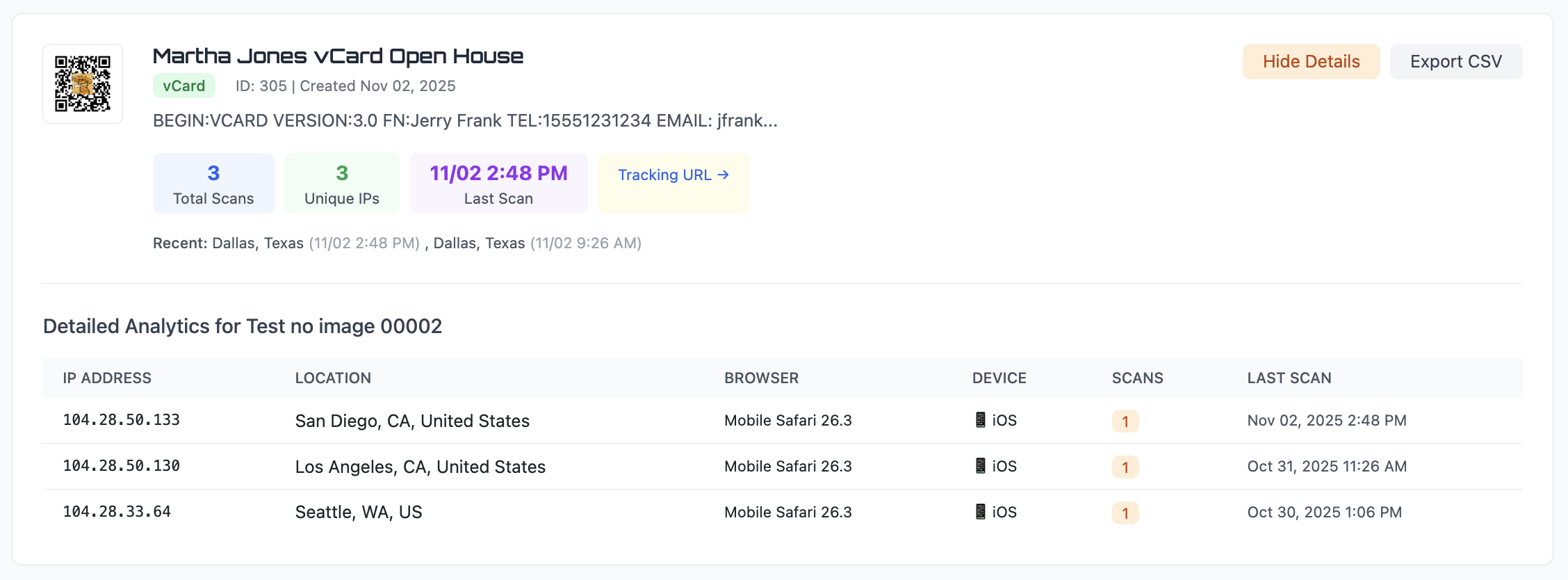
Total scans & unique visitors
Know how many people engaged and how many were repeat scanners.
Location, device, browser
City, state, country — plus whether they used iPhone, Android, Safari, or Chrome.
Export to CSV
Download the full scan history for any QR code anytime.
Where Dynamic QR Codes Are Used
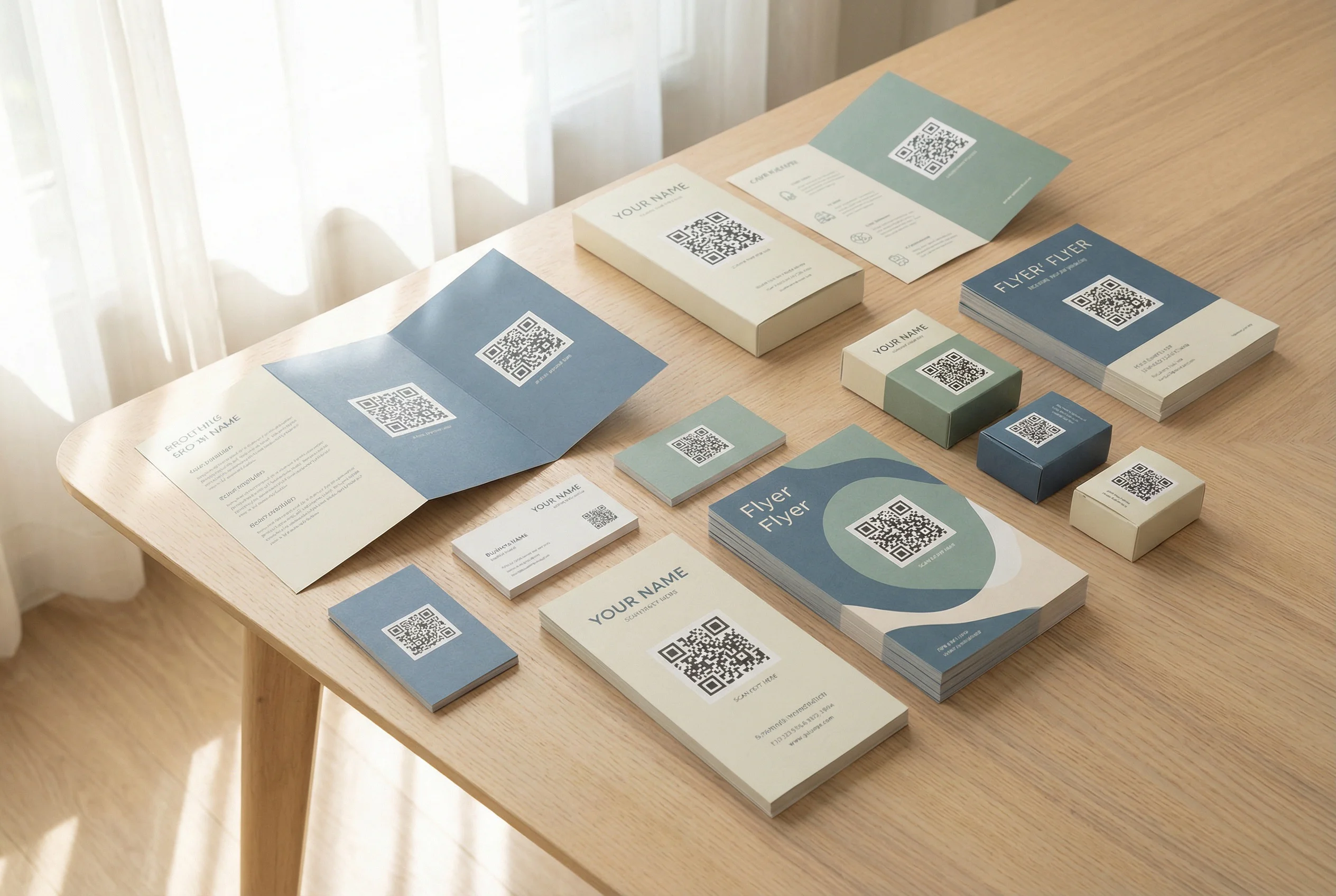
Business cards
Update your contact info or website without reprinting. Track how many people scan your card after meetings. See vCard QR codes →
Marketing flyers & posters
Swap the landing page when a campaign ends. Measure which locations drive the most scans.
Restaurant menus
Update the menu link when items change. No reprinting table cards.
Real estate signs & flyers
Update listing links when properties change. See how many people scan your yard sign.
Events & conferences
Update schedule links as details shift. Track engagement on signage and programs in real time.
Everything About Dynamic QR Codes
QR Code Analytics & Scan Tracking
See every scan — location, device, browser, timestamp. Export to CSV.
QR Code with Logo
Add your brand logo to a dynamic QR code without breaking scanability.
vCard QR Code Generator
Save your full contact info to someone's phone with one scan.
Static vs Dynamic QR Codes
Why static codes break after printing — and when dynamic saves you.
Create a Dynamic QR Code — Free
Edit the destination anytime. Track every scan. Never reprint because of a broken link.
No credit card required • Cancel anytime
Common Questions
What is a dynamic QR code?
A dynamic QR code uses a redirect URL instead of encoding the destination directly. This means you can change where the code points at any time — and every scan gets tracked automatically.
Can I edit a dynamic QR code after printing?
Yes. That's the main advantage. Update the destination URL from your dashboard anytime. The printed code stays exactly the same — no reprint needed.
Do dynamic QR codes track scans?
Yes. Every scan is logged with date, time, location (city, state, country), device type, and browser. You can export all scan data to CSV from your dashboard.
What's the difference between static and dynamic QR codes?
Static QR codes encode the destination permanently — they can never be changed and track nothing. Dynamic QR codes use a redirect you control, so the destination is editable and every scan is logged. Full comparison →
Do dynamic QR codes expire?
No. Dynamic QR codes work as long as your account is active. If you cancel, codes continue working for 30 days to give you time to transition.
Can I add a logo to a dynamic QR code?
Yes. Upload your logo when creating the code and it renders centered in the QR pattern. See how logo QR codes work →