Free QR Code Scanner Scan From an Image — No App
Upload a screenshot or photo and we'll decode the QR code instantly. No signup. No nonsense.
Tip: Perfect for QR codes inside PDFs, screenshots, emails, and websites.
Upload a QR Code Image
Works with screenshots, photos, and most image files (JPG/PNG/WebP).
Works great for screenshots, PDFs, emails, photos, and verifying links before you click.
Your Results Will Appear Here
Upload a QR code image on the left and hit Scan QR Code.
Scanning QR Code…
Decoding your image and checking for redirects.
✅ Decoded Result
Couldn't decode that image
- Crop closer to the QR code (remove extra background)
- Use a sharper image (avoid blur / glare)
- Try a different screenshot or photo
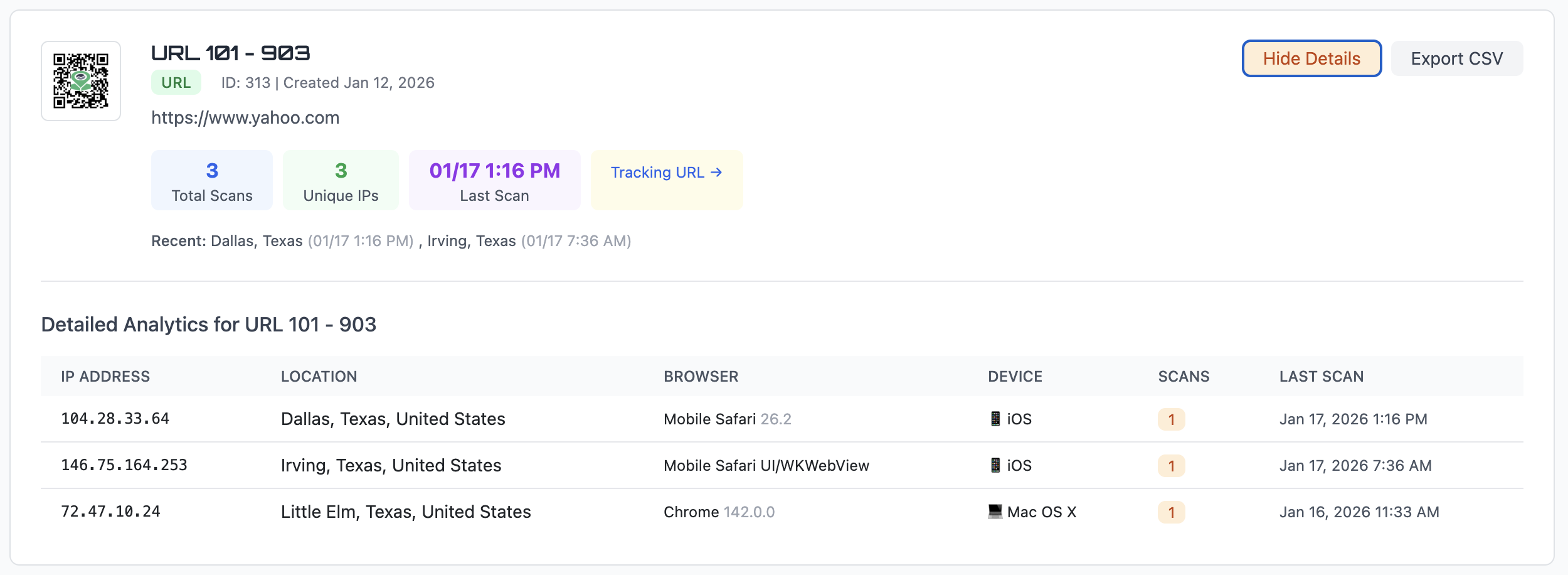
See Where Your QR Codes Get Scanned
Scanning is step one. Creating QR codes you can edit and track is where the real power is.
Edit destination anytime
No reprinting needed
Real scan analytics
Who, when, and where
No ads, ever
Clean, simple dashboard
Why use an online QR code scanner?
Sometimes you need to scan a QR code without a phone camera — like when it's inside a screenshot, PDF, or displayed on your monitor. This tool reads the QR code from an image so you can see what it contains before you click anything.
Scan safely
Unsure where a QR code goes? Decode it first, copy the link, and verify the domain before opening.
Fix failed scans
If a scan fails, crop the image tightly around the QR code and try again. Blur and glare are the #1 reasons decoding fails.
QR Scanner FAQs
Can I scan a QR code from a PDF?
Yes — take a screenshot of the QR code (or export the PDF page as an image) and upload it here.
Does this work on mobile?
Yes. You can upload an image from your phone camera roll and decode it.
Why won't my QR image decode?
Try cropping closer to the QR code, use a clearer image, and avoid extreme blur or glare.